Education Technology Sourcing Guide · Updated May 2026
Portable Visualizer for Teachers: The Complete B2B Buying and OEM Guide
A portable visualizer for teachers is no longer a niche AV accessory. It is becoming the document camera, demonstration stage and live webcam that keeps hybrid lessons moving. For distributors, tender bidders, school suppliers and private-label education brands, the real challenge is not finding a camera. It is choosing a model that teachers can set up in seconds, that IT teams can support, and that procurement teams can document for compliance.
This guide is written from the perspective of Shenzhen Hobry Technology Co., Ltd., a manufacturer of document cameras and digital visualizers since 2005. It is organized around the questions global buyers ask when they evaluate a portable visualizer for teachers, including product recommendations, 2026–2028 procurement trends, product development direction, common buyer FAQ and practical steps for verifying a supplier. The aim is to help buyers compare devices by teaching outcome and total cost, not megapixels alone.
A3 capture, 10MP–13MP class imaging, 30 FPS live video and fast autofocus for mixed classroom subjects
Wireless casting plus USB-C or USB-A wired fallback, so lessons continue even when school Wi-Fi is restricted
OCR, SDK options, book-friendly capture and teacher-friendly software for tenders and private-label programs
ISO 9001 quality management, Intertek-verified factory records and CE/FCC documentation for selected models
What a Portable Visualizer for Teachers Must Do in a Real Classroom
Procurement specifications often look strong on paper but fail in daily use. These are the workflows that determine whether a classroom visualizer is adopted or left in a cupboard.
One-Second Setup
Teachers need to place a worksheet, press one button and start teaching. Autofocus, auto-exposure and a stable arm matter more than a long feature list. The best portable visualizer for teachers feels like a tool, not a setup project.
A3 and Book-Friendly Capture
A3 coverage lets teachers show two pages, a map or a large diagram in one shot. For reading programs and library projects, a model with a V-cradle or curved-page compensation reduces spine shadows and protects fragile books.
Live 30 FPS Video
Handwriting, science demonstrations and small objects require smooth motion. A portable visualizer for teachers should deliver clear live video on projectors, interactive panels and video calls without distracting lag or colour shifts.
Software That Fits School IT
UVC webcam mode, Windows and macOS support, optional SDK integration and simple OCR matter because schools rarely have specialist AV staff. The device should work with installed software, not demand a new workflow for every classroom.
Recommended Models
Portable Visualizer for Teachers: Product Recommendations for Different Buying Briefs
These models cover the most common education procurement scenarios, from mobile hybrid teaching to STEM demonstrations and library reading programs.
Best Seller
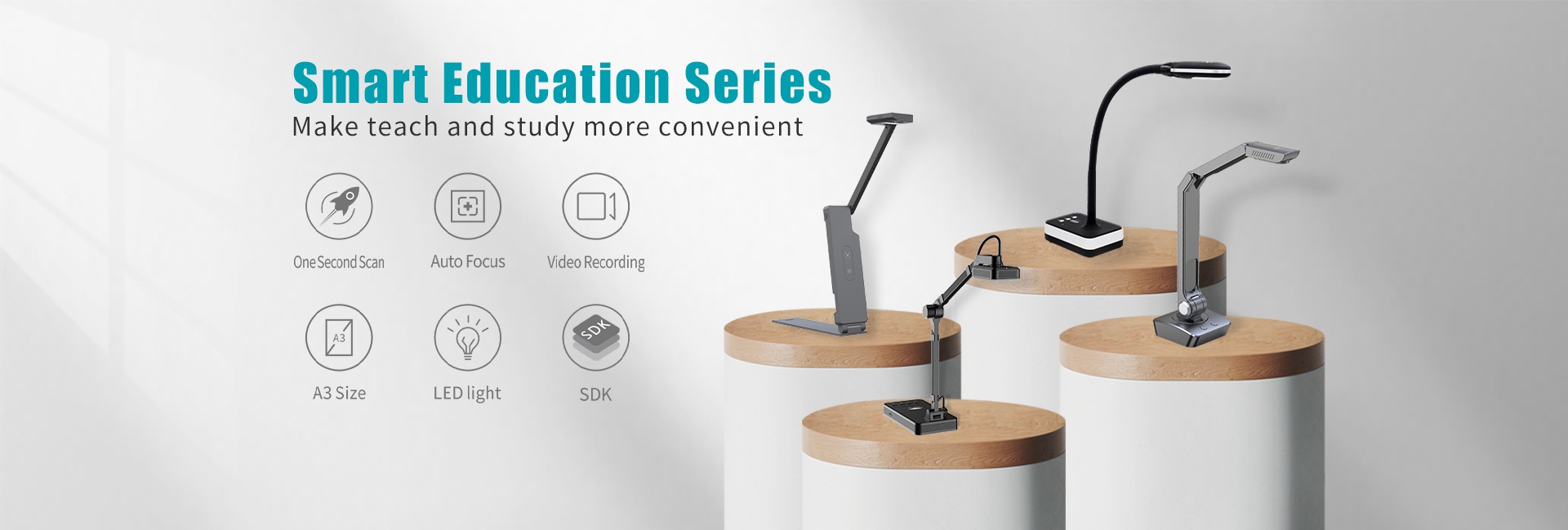
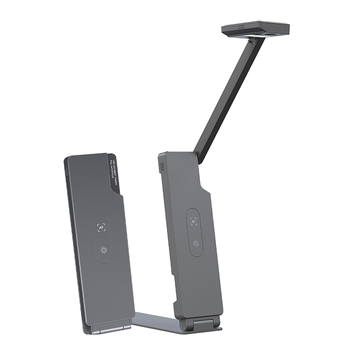
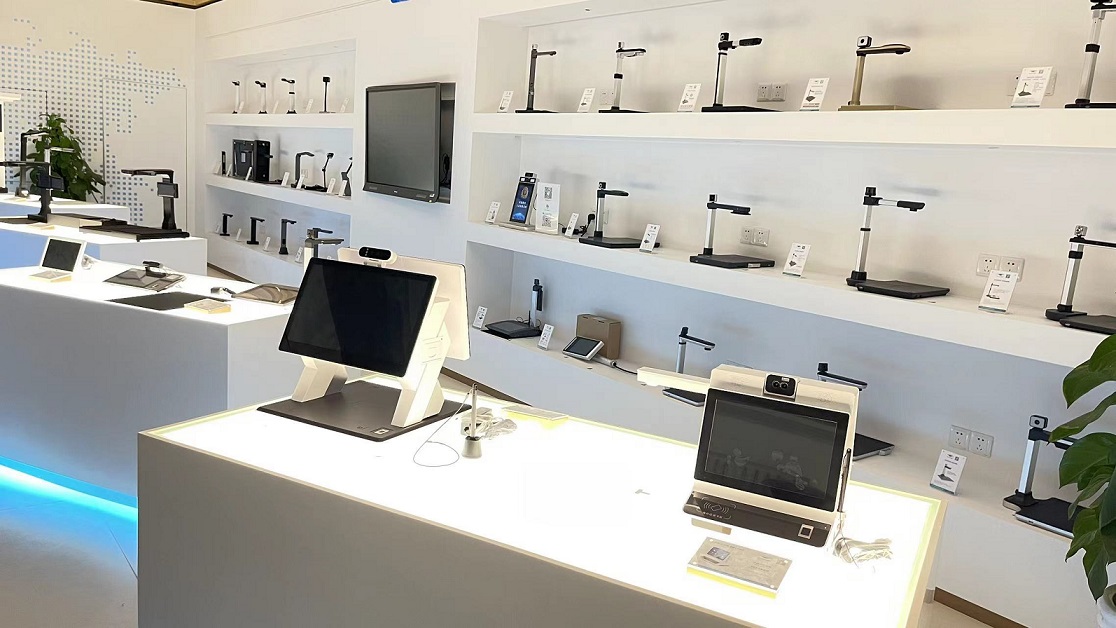
YL1050AF Wireless A3 Document Camera
10MP
A3
30 FPS
Wi-Fi / USB
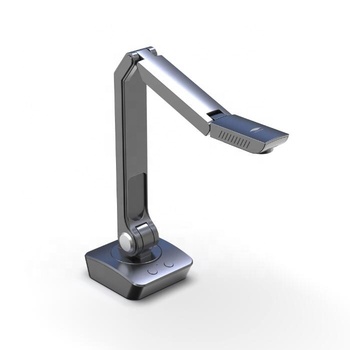
Recommended for mobile teachers and hybrid classrooms. Wireless connection lets teachers move around the room, while USB remains available for restricted networks. Built-in lighting and OCR support make it a practical portable visualizer for teachers who share worksheets and textbooks live.
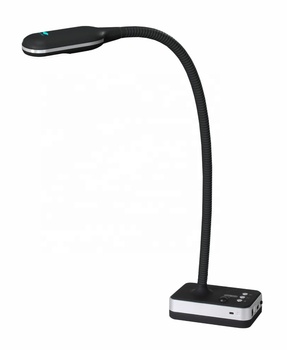
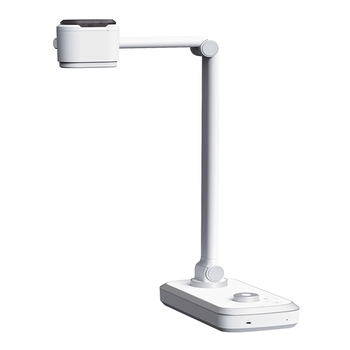
A strong choice for STEM, early-years and training rooms. The flexible arm captures 3D objects, experiments and handwriting from multiple angles. OCR in up to 180 languages supports international schools and buyers who need one platform for multiple markets.
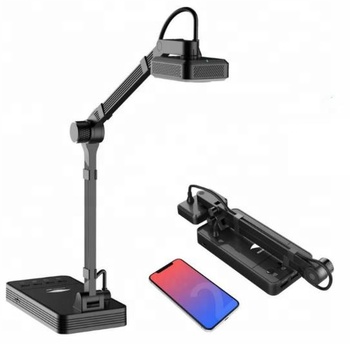
Scanner, document camera and webcam in one device. This reduces the number of accessories schools must buy and support. It is well suited to classrooms that switch between in-person projection and video conferencing during the same lesson.
For premium hybrid classrooms, lecture capture and large displays, 4K detail helps students read fine print and see small components. Buyers should pair 4K capture with adequate lighting and a display that can actually render the detail.
A presentation-grade portable visualizer for teachers in lecture halls and training centres. True optical zoom preserves image quality when focusing on small details, and real-time audio support helps with recorded lessons and remote training sessions.
For teacher resource libraries, reading programs and field digitization, this compact book scanner preserves more detail from textbooks and workbooks. It can also serve as a visual presenter, making it useful for schools that need both scanning and live display from one budget line.
2026–2028 Procurement Trends for Teacher Visualizers
Education buyers are moving from isolated hardware purchases to classroom-proven solutions. The following trends are already visible in tenders, distributor briefs and private-label education projects.
Procurement trends reflect the questions global education buyers are asking during model selection. Final specifications should be confirmed in the signed datasheet.
Procurement Trend
What It Means for Buyers
Recommended Action
Hybrid-first classrooms
Visualizers must work as document cameras and as webcams for Zoom, Microsoft Teams, Google Meet and learning platforms.
Require UVC webcam mode, 30 FPS live video and a wired USB fallback for restricted school networks.
Specifications focused on workflow
Tenders increasingly ask for teacher setup time, OCR language coverage, software compatibility and training materials, not only resolution.
Include a short classroom pilot or sample evaluation before finalizing the model and quantity.
Wireless casting with security review
Schools want cable-free teaching but IT teams need controlled networks and no mandatory student cloud accounts.
Confirm Wi-Fi security support, local network behaviour and whether wireless is optional rather than mandatory.
Total cost of ownership
Buyers compare lamps, cables, accessories, spare parts, warranty terms and teacher training across the full service life.
Ask for a bill of materials, accessory list, warranty terms and spare-part plan for the project.
Compliance and sustainability
Customs, tenders and retail onboarding require clear documentation and responsible packaging data.
Request CE/FCC evidence for selected models, ISO 9001 records, RoHS/REACH information where applicable and packaging details.
Private-label differentiation
Distributors want their own brand, packaging, software start screen and documentation rather than off-the-shelf products.
Discuss ODM scope early: housing, optics, firmware, UI, packaging, MOQ and prototype lead time.
Product Development Trends
How Portable Visualizers for Teachers Are Evolving
The next generation of classroom visualizers will compete less on raw camera specifications and more on on-device intelligence, accessibility, serviceability and integration with the tools teachers already use.
Edge AI and On-Device Enhancement
Auto-framing, text enhancement, noise reduction and document detection are moving onto the device. This reduces dependence on cloud services and helps schools protect student privacy.
4K and Better Low-Light Imaging
As interactive panels become larger, 4K capture and cleaner low-light performance will matter. The best designs will balance detail with file size, frame rate and heat management.
Wireless and USB-C Coexistence
Teachers want cable-free use, but IT teams want predictable support. The winning approach is dual connectivity with simple switching rather than removing wired options.
OCR for Accessibility
OCR converts printed worksheets into searchable, editable and screen-reader-friendly text. For international schools, 180-language OCR becomes a practical inclusion feature, not just a scanning extra.
Repairable, Modular Hardware
Schools increasingly consider serviceability. Replaceable arms, standard cables, documented spare parts and clear calibration procedures reduce downtime and support long procurement cycles.
SDK and Software Integration
Distributors and integrators want to embed the visualizer into their own classroom software. SDK availability, stable drivers and clear integration notes become part of the purchase decision.
Why Source Portable Visualizers from Shenzhen Hobry Technology Co., Ltd.
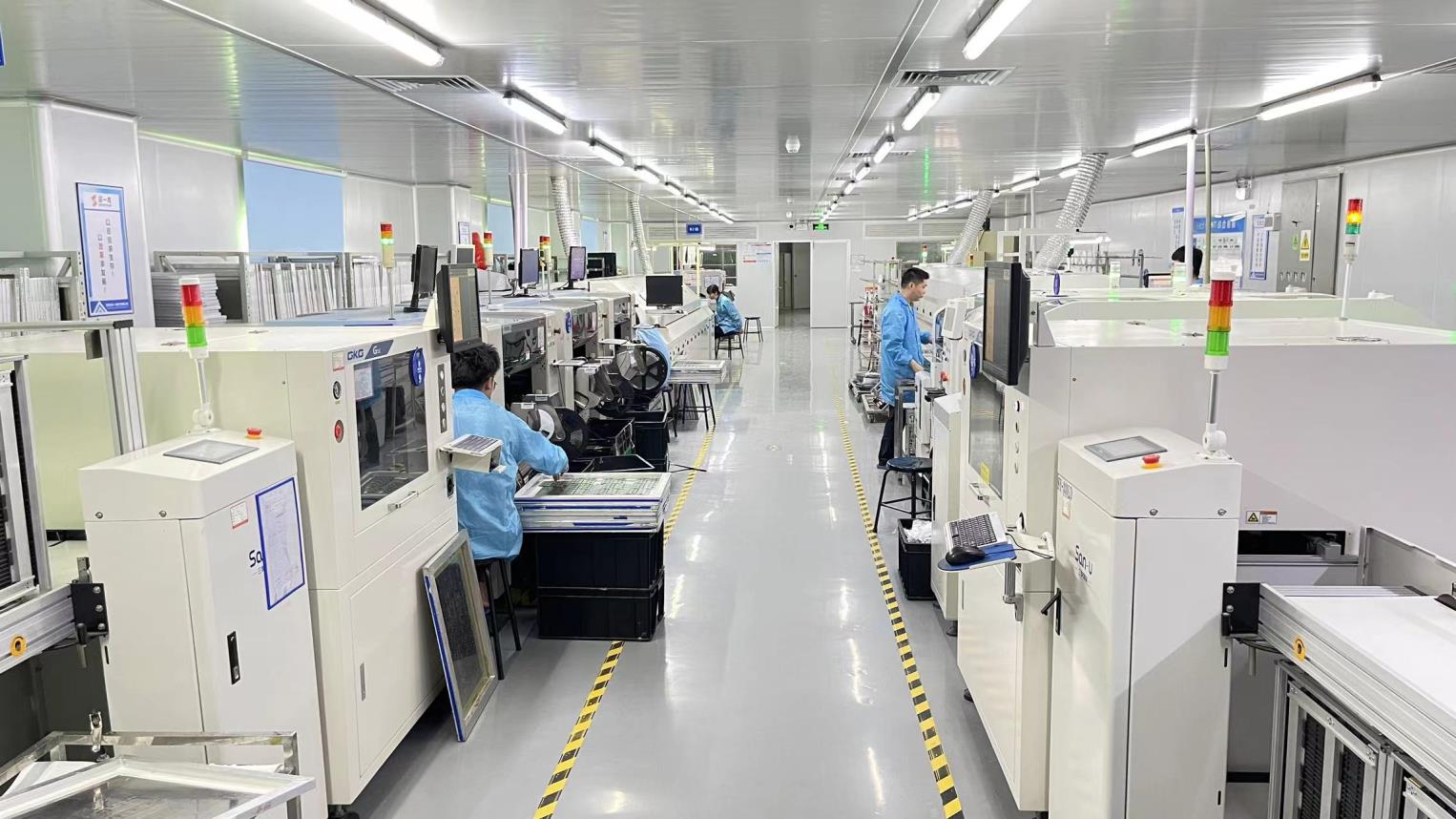
Shenzhen Hobry Technology Co., Ltd. began in 2005 with digital video and PC camera development. That imaging experience became the foundation for our document cameras, book scanners and classroom visualizers. We manage industrial design, optics, firmware, image-processing software and final assembly under one roof, which gives education buyers a single accountable partner instead of a chain of unrelated suppliers.
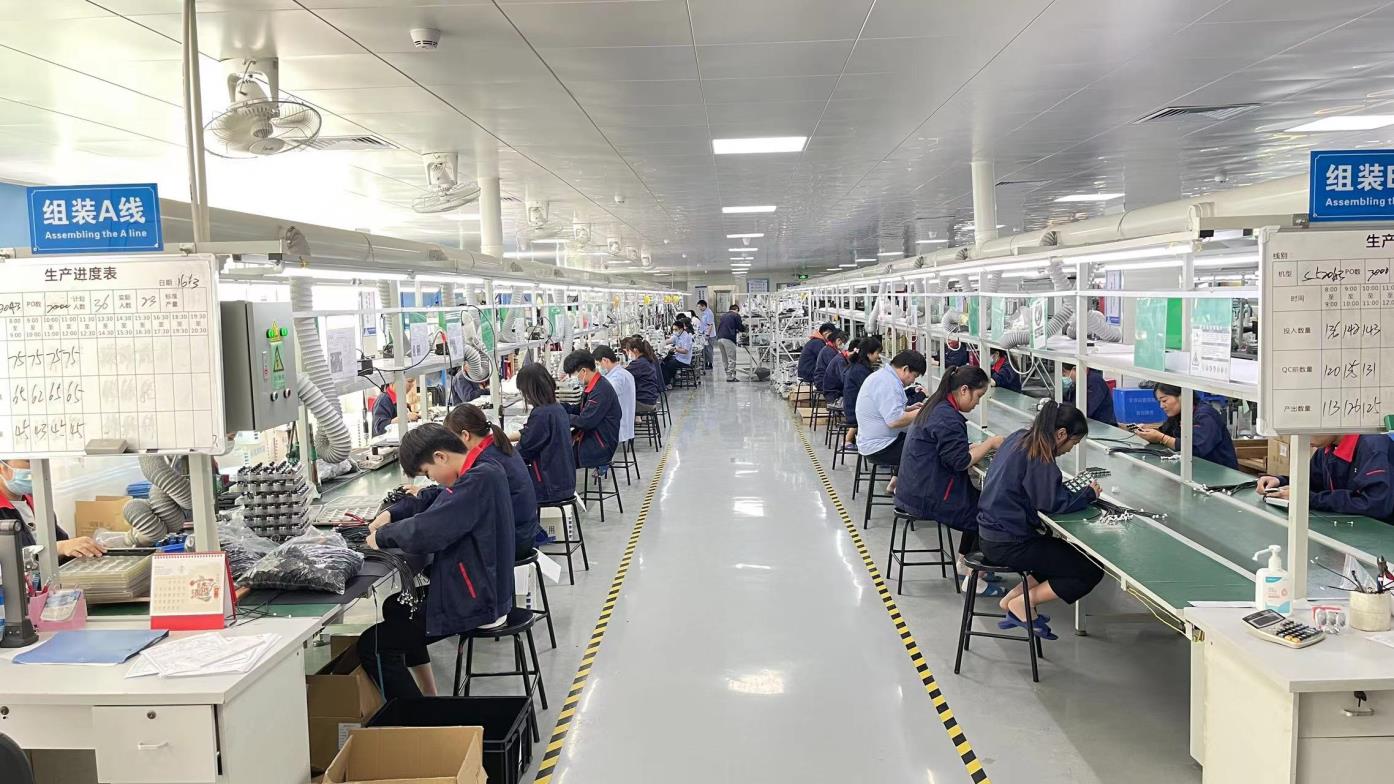
We are a nationally recognized High and New Tech Enterprise with independent intellectual property, registered software copyrights and patented designs. Our facility runs 8 production lines across 5,000–10,000 square metres and has been verified onsite by Intertek. ISO 9001 quality management, finished-product inspection and in-process image calibration help ensure that a portable visualizer for teachers performs consistently from sample approval to repeat orders.
For education projects, we support OEM service, ODM customization, buyer labels, packaging design, firmware adjustments, SDK documentation and spare-part planning. Products are exported to North America, Southeast Asia, Southern Europe and the Middle East, and our team can prepare datasheets, compliance files and tender documentation for qualified opportunities. Buyers can verify our factory through the Intertek assessment report, trade capacity pages, credit index and transaction history linked from this website.
ODM DesignHousing, optics, UI and firmware
OEM and Buyer LabelPrivate-label programs for distributors
8 Production Lines5,000–10,000 m² facility
Export ExperienceNorth America, Southeast Asia, Southern Europe, Middle East
A serious portable visualizer for teachers project can last for years in classrooms, so supplier claims should be backed by documents and factory evidence. This guide was prepared by the education visualizer export team at Shenzhen Hobry Technology Co., Ltd. and reviewed against current product datasheets, factory records, the Intertek assessment and certification files. Buyers should confirm final specifications in the signed datasheet before ordering.
ISO 9001 Quality ManagementCertified quality management system
CE Marked ProductsFCC on selected models, with documents available per model
High and New Tech EnterpriseNational recognition for R&D capability
Software Copyright RegistrationsProprietary scanning and OCR software
Experienced WorkforceStable production and quality teams
Common Questions About Buying a Portable Visualizer for Teachers
These are the questions global distributors, tender bidders and school suppliers ask most often when comparing classroom visualizers.
What is a portable visualizer for teachers?
A portable visualizer for teachers is a lightweight document camera and live presentation device. It displays textbooks, worksheets, objects, handwriting and experiments on a projector, interactive panel, laptop or video-call platform. Most models connect by USB, USB-C or Wi-Fi and may include OCR software for making printed content searchable.
Which specifications matter most when buying a classroom visualizer?
Compare capture size, sensor resolution, frame rate, autofocus, lighting, connectivity, OCR language support, software compatibility, warranty and compliance documents. For most classrooms, A3 capture, 30 FPS live video and a wired USB fallback are more useful than megapixels alone.
Can the visualizer work with projectors, interactive panels, laptops, Zoom, Microsoft Teams and Google Meet?
Yes. Selected models operate as UVC webcam devices, so they can be selected as a camera source in common video-conferencing and classroom software. Buyers should confirm the exact model, driver requirements and connection method in the datasheet before ordering.
Do teachers need Wi-Fi, or is USB enough?
USB is usually more predictable for fixed classrooms and school IT support. Wi-Fi is valuable when teachers move around the room or teach in spaces without convenient cabling. The safest procurement choice is dual connectivity, with wired USB available as a fallback.
How does OCR help teachers and schools?
OCR converts printed worksheets, books and forms into searchable, editable and screen-reader-friendly text. For international schools, support for up to 180 languages on selected models can simplify deployment across multiple language markets.
What are the MOQ, OEM and ODM options?
Shenzhen Hobry Technology Co., Ltd. offers OEM service, design service and buyer label service, plus ODM customization of housings, optics, firmware, software UI and packaging. MOQ and prototype lead time depend on the model and customization scope. Contact info@hobrytech.com with your target market, quantity and branding requirements.
Which certifications and tender documents can you provide?
We hold ISO 9001 certification, the High and New Tech Enterprise certificate and software copyright registrations. Products are CE marked and selected models are FCC certified. Datasheets, test reports and compliance documents can be prepared for tender projects.
What warranty and after-sales support do you offer?
Standard models carry a one-year warranty. Extended warranty, spare-part programs and distributor support can be arranged for qualified projects. Buyers can contact info@hobrytech.com for model-specific service terms.
How should we evaluate total cost before choosing a supplier?
Compare the full package: device cost, accessories, cables, teacher training, software integration, warranty, shipping terms and spare parts. A low unit price can create higher lifetime cost if the visualizer is difficult to deploy or lacks support documentation. Ask for a bill of materials and service plan alongside the quotation.
Can the visualizer be integrated into our own teaching software?
Selected models ship with an SDK for system integration, and our OCR software supports up to 180 recognition languages depending on the model. Share your operating system, software framework and project timeline so our team can confirm the correct model and integration path.
Ready to Shortlist a Portable Visualizer for Teachers?
Send us your target market, preferred capture size, estimated quantity and branding requirements. Our export engineering team will recommend a model, share datasheets and discuss OEM/ODM options for your education project.