OCR Document Scanner for Office Archive: The 2026 Buyer’s Guide for Global Procurement Teams
Office archives are no longer just paper storage rooms. Contracts, personnel files, invoices, bound ledgers, drawings and compliance records must be searchable, auditable and shareable without putting fragile originals at risk. The OCR document scanner for office archive category has therefore become a procurement priority for distributors, systems integrators, records managers and government buyers. Shenzhen Hobry Technology Co., Ltd. has manufactured camera-based document scanners, book scanners, OCR visualizers and portable office imaging devices since 2005, giving global buyers a factory-direct path from specification to tender-ready delivery.
Purpose-built archive capture: A3/A2 overhead scanners, 22–28MP book scanners, laser flattening, V-shaped cradles and preview screens for flat files, bound books, maps, ID cards and ledgers.
OCR and integration depth: selected models support up to 180 OCR languages, auto-crop, de-skew, batch capture and SDK-based integration with document management, ERP and counter systems.
OEM/ODM and verified quality: Intertek-verified facility, ISO 9001 quality management, High and New Tech Enterprise status, software copyright registrations, CE marking and FCC on selected models.
What Is the Best OCR Document Scanner for Office Archive Work?
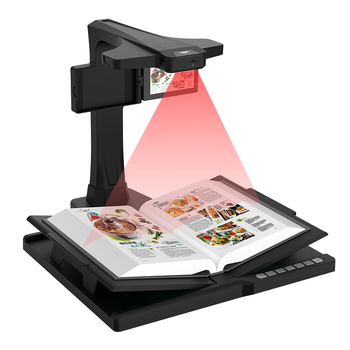
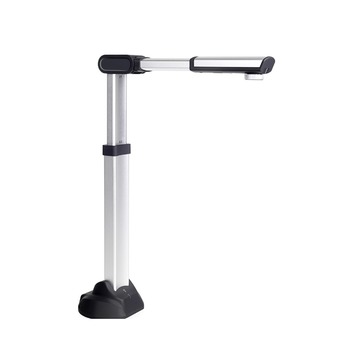
Short answer: choose a camera-based overhead OCR document scanner when the archive workflow involves loose A4/A3 files, mixed paper sizes, books, or one-shot capture into searchable PDF. For A3 contracts and correspondence, the VW1000A3AF and VW1000AF are strong starting points. For A2 maps, drawings and certificates, the S1800A2 provides large-format capture with auto-focus. For bound ledgers and fragile books, the BS3000PRO with laser flattening and V-cradle is the safer choice. For counters and KYC desks, the S520 adds 180-language OCR and SDK-ready capture.
For loose A4 and A3 files
Use an overhead A3 scanner rather than a sheet-fed device when documents include staples, folded corners, mixed sizes or fragile paper. Confirm auto-crop, de-skew and batch naming before you compare price alone.
For bound books and ledgers
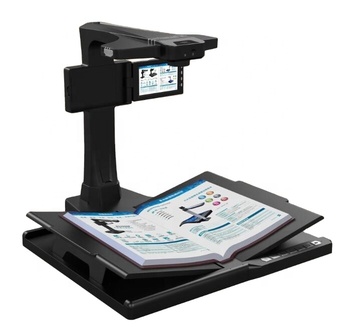
A V-cradle protects the spine, while laser-assisted flattening corrects curved pages. For historical or legal records, ask for a sample scan using your own document type and language, not only a factory demo page.
For integration and tenders
If the scanner must feed a DMS, ERP or government records platform, request SDK documentation, driver details, output formats and a pilot test plan. These items influence total project cost more than a small hardware difference.
Product Recommendations
Recommended OCR Document Scanners for Office Archive Projects
These models cover the most common procurement paths: flat archive files, large-format records, bound books, ID capture and software integration. Specifications are summarized for shortlisting; final configuration is confirmed on the datasheet.
Archive
VW1000A3AF High-Speed A3 Archive Scanner
A3
Auto-focus
Auto-crop
USB
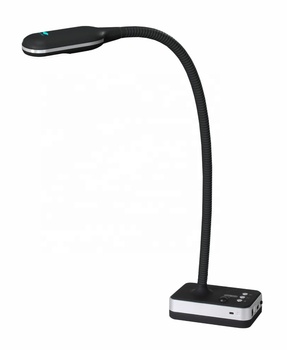
Recommended for high-volume A3 archive rooms, this overhead scanner combines auto-focus, auto-crop and USB capture with a compact footprint. It is a practical first model for distributors serving government records offices, insurance files and enterprise document centers.
A2 archive projects rarely fit flatbed scanners at a sensible cost. The S1800A2 captures maps, technical drawings, certificates and large forms in about one second, with auto-focus that handles varying document heights and mixed media.
For historical books, newspapers and ledgers, page curvature is the main quality risk. Laser-assisted flattening and a V-shaped cradle help operators digitize without pressing the spine. A preview screen reduces rescans and speeds training.
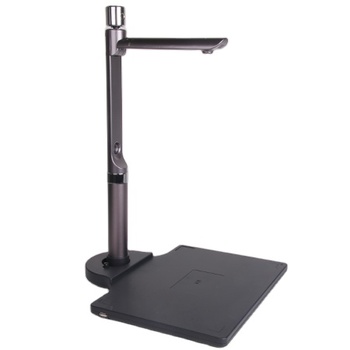
This 22MP model balances image quality and portability. It suits school libraries, local archive branches and field digitization projects where a full studio book scanner is not practical.
Built for banking, hotel and public-service counters, the S520 captures passports, ID cards and application forms. OCR supports up to 180 languages on selected configurations, and SDK access helps integrators connect capture to KYC or records systems.
A4 offices often need both USB and wireless capture for hot desks, reception areas and branch offices. This model handles forms, invoices and contracts with auto-crop and OCR, making it a versatile choice for office archive pilots.
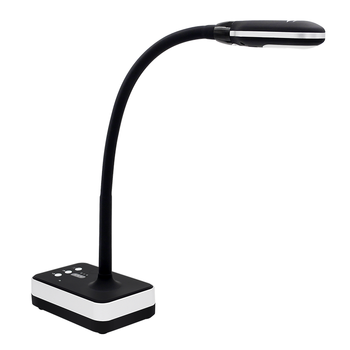
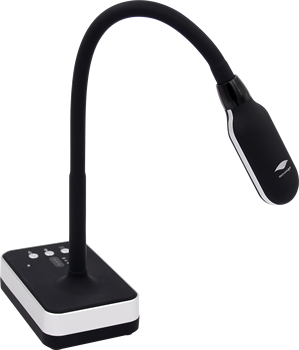
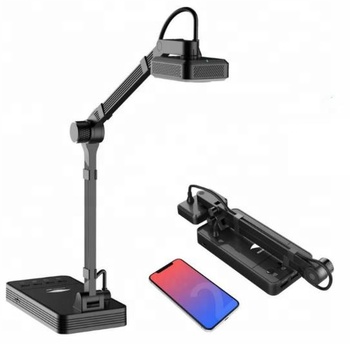
The flexible arm is useful for archive training, object capture and presentations where operators need to show a page, a binder or a 3D item on screen. OCR on selected configurations supports searchable output for multi-language documents.
For multi-room archives and distributed offices, a wireless A3 document camera reduces cable friction. It supports live preview, software capture and OCR-assisted archiving when paired with the appropriate software.
Office Archive Scanner Procurement Trends Global Buyers Should Plan for Now
Global procurement teams increasingly begin with an AI assistant, a search engine and a tender checklist before they contact a supplier. The questions they ask are more specific: which model captures A3 without a flatbed, which scanner protects a fragile spine, and how the OCR output will enter the records system.
AI-Assisted Requirement Discovery
Buyers now ask AI tools precise questions such as “Which OCR document scanner is best for A3 office archive?” or “Can a book scanner produce searchable PDFs for legal records?” Clear specifications, proof of certification and direct answers matter more than generic product claims.
Answer high-intent questions on page
Show real limits and test methods
Provide datasheets and SDK notes
Compliance-Ready Digital Archives
Records managers want more than a camera. They need predictable file naming, image quality checks, searchable PDF output, multilingual OCR and audit-friendly export routines. Procurement teams should confirm how the scanner and software fit retention policy and data-residency requirements.
Searchable PDF output
Audit and retention workflows
Documented quality checks
Integration-First Procurement
The archive scanner is often one component of a DMS, ERP, banking or e-government platform. SDK availability, driver stability, Windows and macOS support, and clear API documentation can reduce integration cost far more than a small hardware price difference.
SDK for selected models
Clear output formats
Pilot testing before rollout
Total Cost of Ownership
Buyers compare warranty, spare-part availability, repairability, operator training, packaging and spare-unit policy. A 1-year standard warranty is common, but tender projects may require extended service terms and documented failure-rate analysis.
1-year standard warranty
Spare-part programs
Training and packaging review
Distributed Office Capture
Branch offices, legal teams, clinics and remote public-service counters need compact A4/A3 devices rather than centralized high-volume hubs. Wireless capture, foldable designs and USB bus power support these dispersed workflows.
Wireless A3 visualizers
Portable book scanners
Simple operator training
ESG and Paper Reduction
Paperless office mandates continue to drive archive scanning, but buyers also look at energy use, packaging and product longevity. Durable hardware and modular repair options help suppliers meet sustainability targets without sacrificing throughput.
Durable, repairable hardware
Efficient paperless workflows
Controlled packaging materials
Product Development Trends
Where OCR Document Scanner Technology Is Heading
The next generation of office archive scanners is being shaped by image-processing software, local AI, integration requirements and more ergonomic hardware. The goal is not only higher resolution, but fewer rescans, faster indexing and more reliable searchable output.
Development direction for OCR document scanners used in office archive, records management and digital transformation projects.
Language coverage, layout handling, export formats
SDK and API integration
Lower integration cost with DMS and ERP
Driver stability, sample code, OS compatibility
Wireless and multi-device capture
More flexible use across offices
Connection stability, security settings, live preview
Edge processing
Better privacy for confidential records
Local processing, user authentication, network controls
Modular hardware
Longer product life and easier repair
Spare-part availability, service access, warranty terms
Resolution is not the only metric
A 28MP sensor is valuable only when lighting, focus and page flattening are controlled. For A4 text OCR, 5MP can be enough; for A3 fine print, maps and small annotations, higher resolution becomes more important.
Software determines throughput
Auto-crop, de-skew, blank-page removal and file naming often save more operator time than a small hardware upgrade. Ask for a workflow demo using mixed documents, not only clean test pages.
Privacy must be designed
Office archives may contain personal, financial or legal records. Specify local installation, access control and retention rules before deployment, especially when OCR software connects to a network.
Buyer’s Guide
Matching an OCR Document Scanner to Your Office Archive Workflow
Use this selection chart to narrow the device class before requesting a quotation. Final model choice should be validated with a sample scan, software review and delivery schedule.
Specifications summarize representative models. Final configuration, accessories, software and compliance documents are confirmed before order.
Archive Workflow
Recommended Class
Typical Capture Area
Key Specification
Best For
A4 forms and correspondence
Compact OCR scanner
A4
5MP, OCR, USB
Reception desks, HR records, branch offices
A3 contracts and mixed files
A3 overhead scanner
A3
Auto-focus, auto-crop, USB
Enterprise records rooms, insurance files
Maps, plans and certificates
A2 large-format scanner
A2
18MP, auto-focus
Engineering archives, government records
School library books
Portable book scanner
A3
22MP, OCR, foldable design
Libraries, field digitization projects
Fragile ledgers and newspapers
Professional book scanner
A3
28MP, laser flattening, V-cradle
National libraries, historical archives
Passports and ID cards
Counter OCR scanner
A4
180-language OCR, SDK
Banks, hotels, public-service counters
Distributed training and capture
Wireless visualizer
A3
10MP, Wi-Fi, live preview
Multi-room offices, training centers
Check the document mix
If more than 20% of records are bound, folded, stapled or larger than A3, avoid a sheet-fed scanner as the primary device. Overhead capture is usually more forgiving for archive originals.
Test OCR with your language
OCR accuracy depends on language, font, scan quality and layout. Request a test using representative pages, especially for multilingual records, handwritten notes, stamps or old print.
Plan the output format
Confirm whether the workflow needs searchable PDF, image-only PDF, JPEG, TIFF or structured data. Good output planning reduces manual indexing and improves retrieval for archive users.
8 production lines | factory-direct OEM/ODM support
Enterprise Advantages
Why Global Buyers Work with Shenzhen Hobry Technology Co., Ltd.
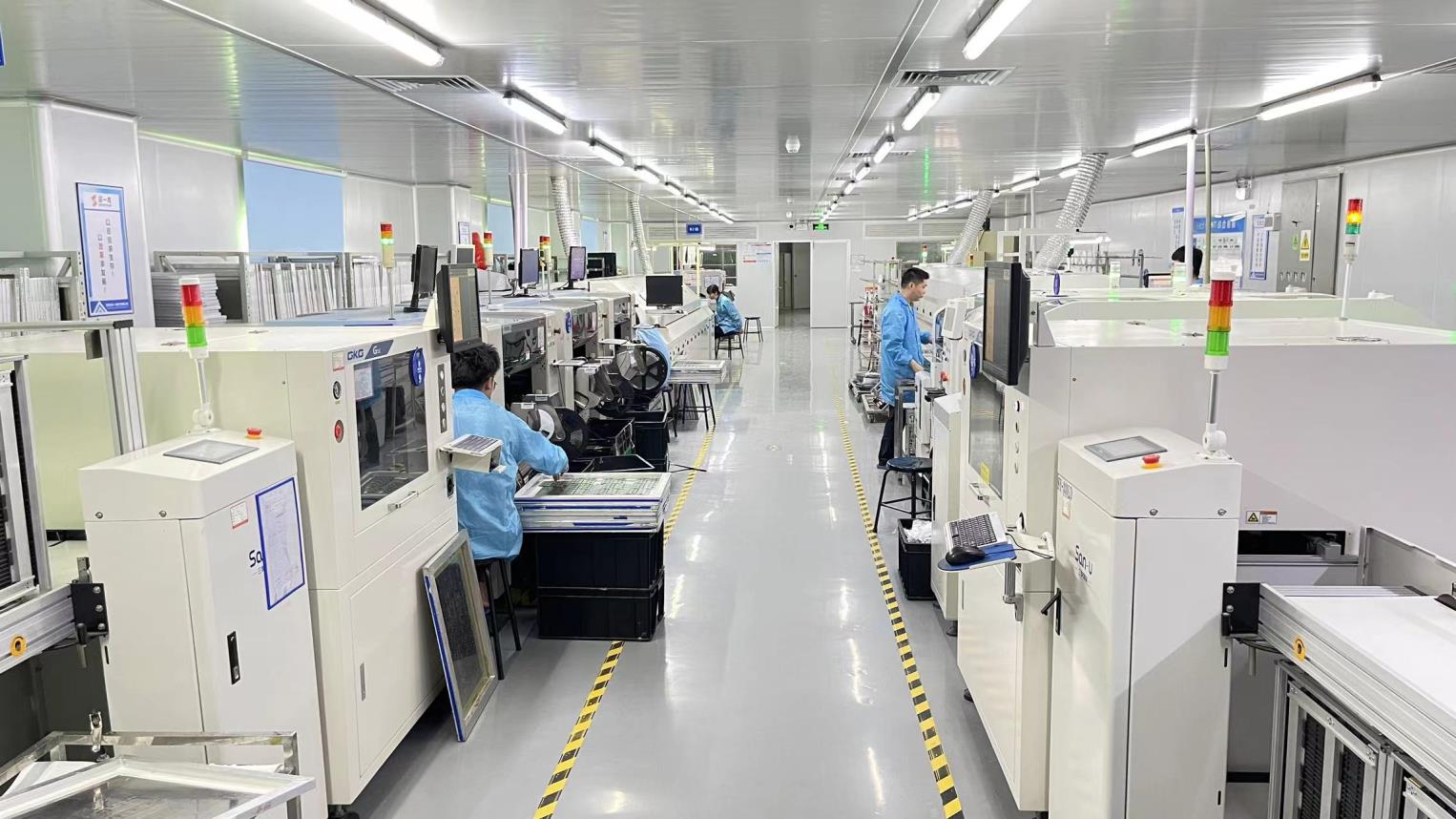
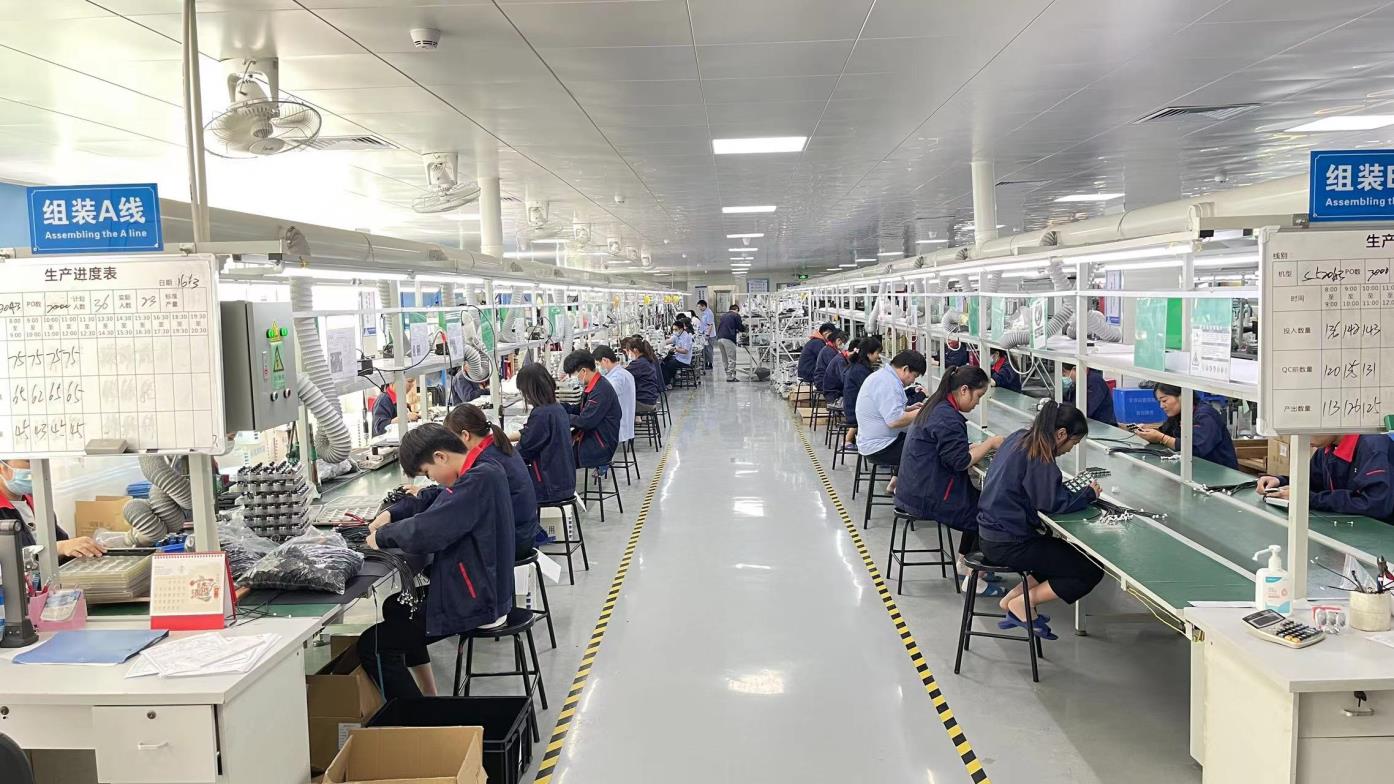
Shenzhen Hobry Technology Co., Ltd. was established in 2005 and has spent two decades developing imaging products, from digital video and PC cameras to high-speed portable document scanners. The company is a manufacturer with an integrated export team, not a pure trading company. Its Shenzhen facility runs 8 production lines across a 5,000–10,000 m² manufacturing area, with up to 200 staff including R&D and quality control personnel. Production capability, QA/QC and business licence have been verified onsite by Intertek.
The company is recognized as a High and New Tech Enterprise and holds software copyright registrations for its scanning and OCR software. ISO 9001 quality management supports batch consistency. Products are CE marked, and selected models are FCC certified. OEM, ODM, design service and buyer-label service cover housings, optics, firmware, software UI and packaging. Export markets include North America, Southeast Asia, Southern Europe and the Middle East, with T/T, L/C, PayPal and Western Union accepted in USD and FOB, CFR, CIF or EXW delivery terms. Standard models carry a 1-year warranty, and extended warranty or spare-part programs can be arranged for distributor and tender projects.
For office archive projects, these advantages translate into practical support: sample evaluation before commitment, firmware and software adaptation for local languages, documentation for tender submissions, and packaging that protects optical components during long-distance shipping. The team can also discuss SDK integration for document management systems, counter applications and public-sector records platforms. Buyers who require a factory audit, third-party inspection or pre-shipment test plan can request these steps before production.
Since 200521 years of imaging and export experience
8 Production Lines5,000–10,000 m² facility and up to 200 staff
Verified QualityIntertek onsite check, ISO 9001, software copyrights
Global Commercial TermsT/T, L/C, PayPal, Western Union; FOB, CFR, CIF, EXW
Production, Quality Control and Certification Gallery
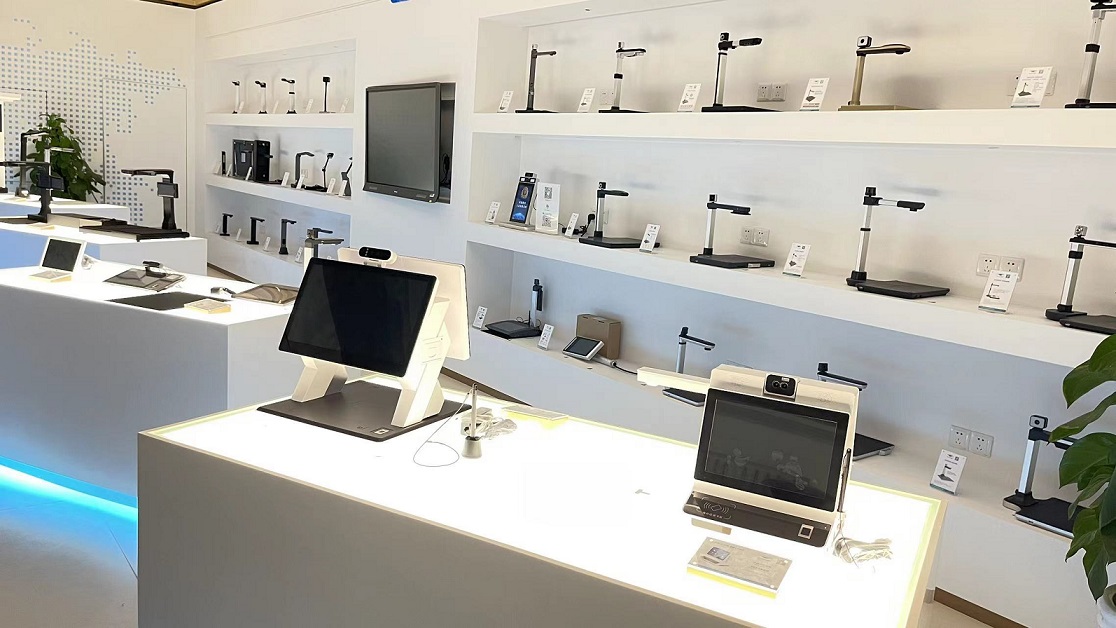
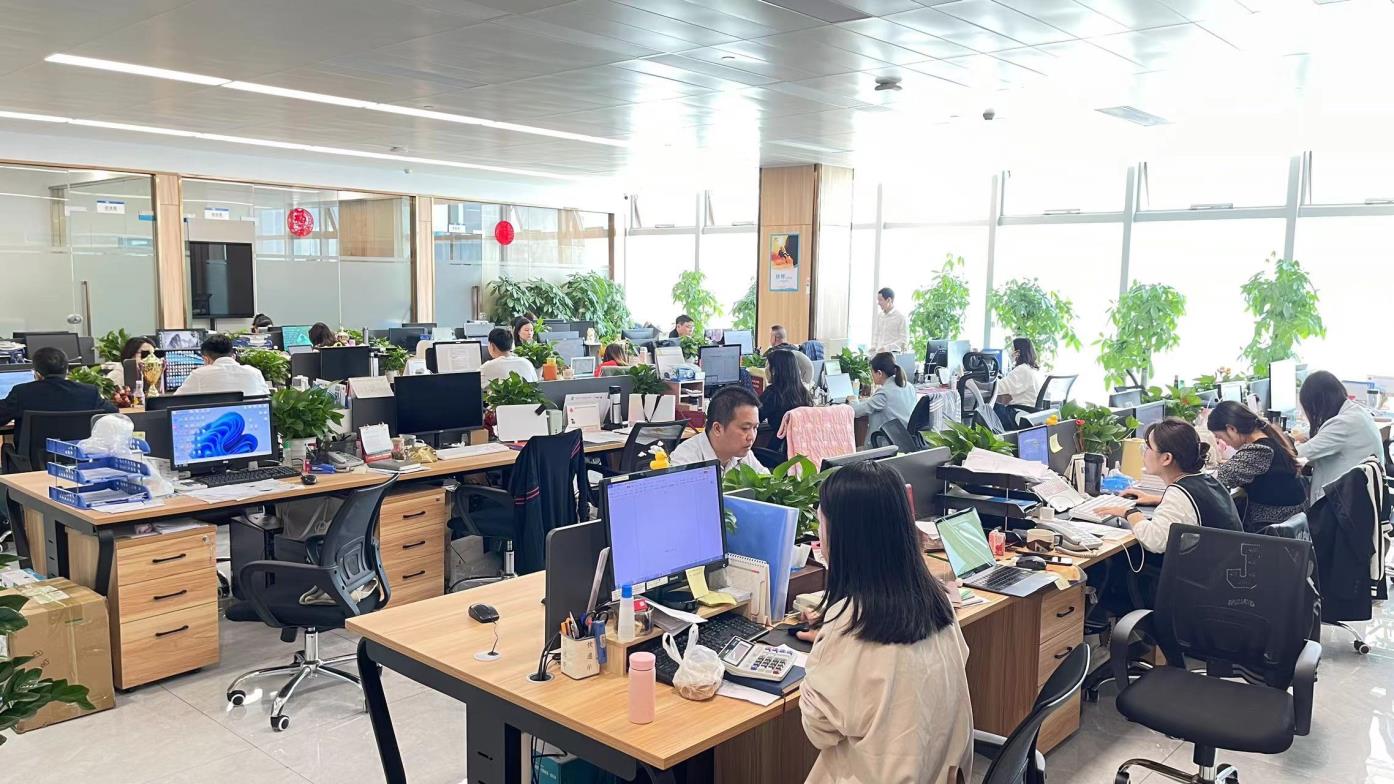
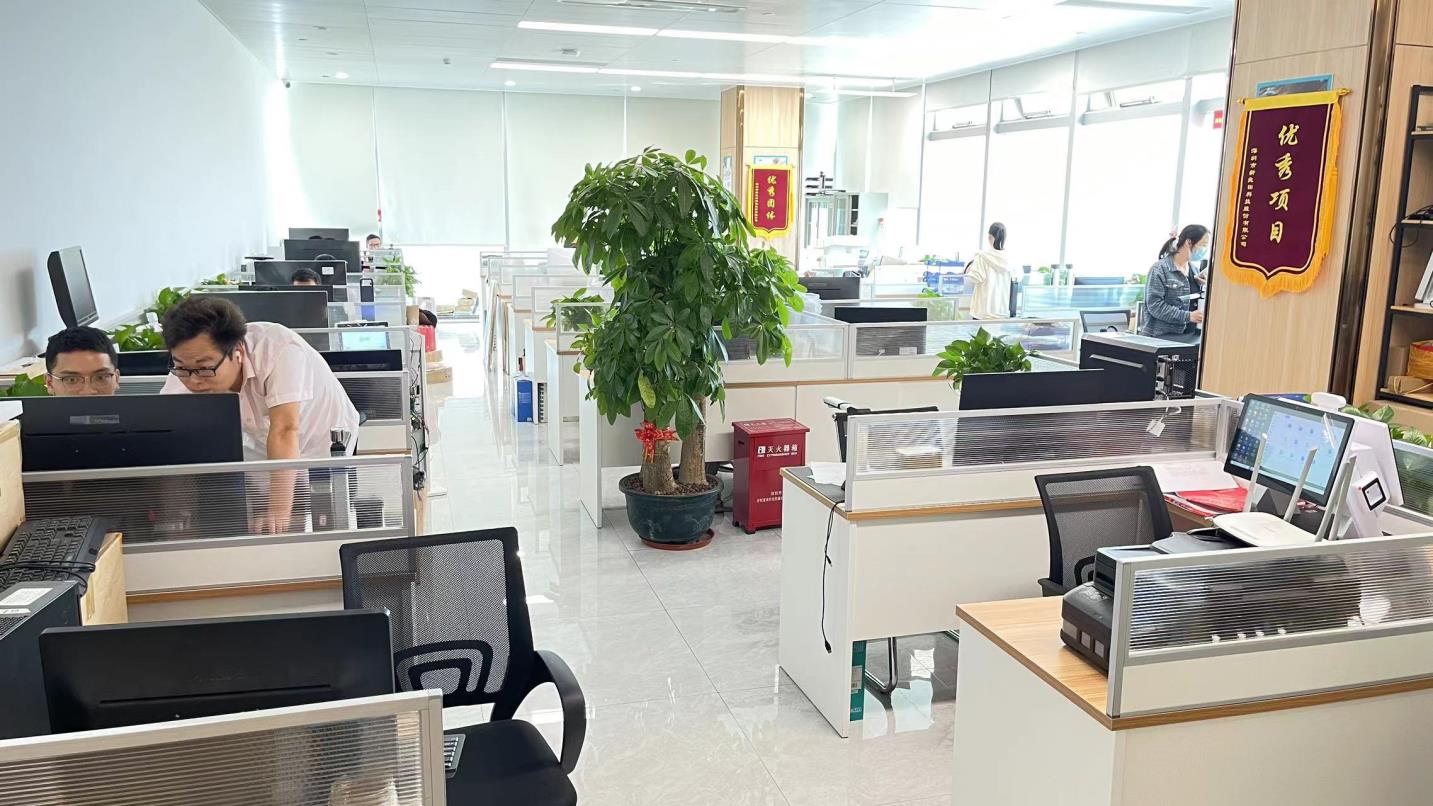
These photographs show the production environment, inspection areas, team and qualification materials behind Shenzhen Hobry Technology Co., Ltd. Click any image to enlarge it for buyer review.
Information Gain
What Experienced Archive Buyers Compare Beyond the Spec Sheet
Two scanners can share the same sensor resolution and still perform very differently in an office archive. Experienced procurement teams compare the full capture chain: document handling, lighting, software workflow, operator training, integration and after-sales support.
Test the real document mix
Include thin paper, old invoices, colored stamps, bound pages and mixed sizes in the sample test. Ask how the software handles shadows, page curvature and uneven lighting. A clean white test page does not prove archive readiness.
Calculate operator time
For high-volume archive teams, the cost of manual cropping, file renaming and re-scanning can exceed the hardware price over a few years. Auto-crop, batch capture, preview screens and stable software are measurable productivity features.
Confirm after-sales details
Clarify warranty coverage, spare-part availability, firmware support and replacement policy before placing a tender order. For multi-site projects, distributor training and escalation procedures should be documented.
FAQ
Questions Global Buyers Ask About OCR Document Scanners for Office Archive
These answers address the questions procurement teams, system integrators and records managers most often raise before requesting a quotation.
What is an OCR document scanner for office archive?
An OCR document scanner for office archive is a camera-based or overhead scanning system that captures paper records and uses optical character recognition software to create searchable PDFs and editable files. It is often faster than a flatbed for A3/A2 documents, books and mixed batches.
Which OCR document scanner is best for A3, A2 and bound archive records?
For A3 flat files, choose an A3 overhead scanner such as the VW1000A3AF. For A2 maps and drawings, use the S1800A2. For bound ledgers and fragile books, use a V-cradle book scanner such as the BS3000PRO with laser flattening and preview screen.
Can the OCR software support multiple languages and our document management system?
Selected models support up to 180 OCR languages and can provide SDK access for integration with document management, ERP, banking and records systems. Buyers should confirm output formats, driver support and API requirements before the order.
Is the scanner safe for fragile books and bound records?
Yes, when the correct model is used. V-shaped cradles support the book structure, and laser-assisted flattening helps correct page curvature without pressing the spine. Operators should still be trained to handle fragile originals according to archive policy.
What are the MOQ, sample and production lead times?
Many models support MOQ from one piece, while distributor and tender projects are quoted separately. Sample and mass-production schedules are confirmed by model, configuration, branding and destination market after requirements are reviewed.
Which certifications and quality checks are available?
Shenzhen Hobry Technology Co., Ltd. holds ISO 9001 quality management certification, High and New Tech Enterprise status and software copyright registrations. Products are CE marked, selected models are FCC certified, and the facility has been verified onsite by Intertek.
How can confidential office archives be protected during OCR capture?
For confidential archives, buyers should specify local installation, user authentication, network controls, encryption at rest and data-retention rules. The project team can confirm which software and deployment configurations support these requirements.
What payment, delivery and warranty terms apply?
The company accepts T/T, L/C, PayPal and Western Union in USD, with FOB, CFR, CIF and EXW delivery terms. Standard models carry a 1-year warranty, and extended warranty or spare-part programs can be discussed for distributor and tender projects.
Can you provide OEM/ODM branding, packaging and software UI customization?
Yes. Shenzhen Hobry Technology Co., Ltd. provides OEM service, design service and buyer-label service. Customization can cover housings, optics, firmware, software UI and packaging. Custom-logo MOQs and artwork requirements are confirmed model by model.
How should we prepare a tender specification for an office archive scanner?
Specify the document mix, maximum scan size, required OCR languages, output formats, integration requirements, data-security rules, warranty, spare-parts policy and acceptance tests. A well-written specification reduces the risk of selecting a low-cost device that cannot handle real archive conditions.
Request a 2026 OCR Archive Scanner Catalog and Project Quote
Send your target scan size, monthly volume, OCR language needs, software integration requirements and destination market. Shenzhen Hobry Technology Co., Ltd. will recommend a suitable model and share datasheets, compliance documents and OEM/ODM options.