Document Camera Visualizer for Classroom: A Global Buyer’s Guide to Products, Procurement Trends and Supplier Due Diligence
A document camera visualizer for classroom use helps teachers place a textbook, worksheet, science experiment, handwritten solution or 3D object under a camera and show it instantly on a projector, interactive whiteboard, laptop or video-conferencing platform. For distributors, AV integrators, school tender teams and education resellers, the buying decision is more complex than choosing the highest megapixel count. The right classroom document camera must match the teaching workflow, local connectivity standards, software environment, warranty expectations and tender documentation requirements.
Manufacturer with integrated optics, firmware, OCR software and assembly experience since 2005
Intertek-verified production site, ISO 9001 quality management and High and New Tech Enterprise recognition
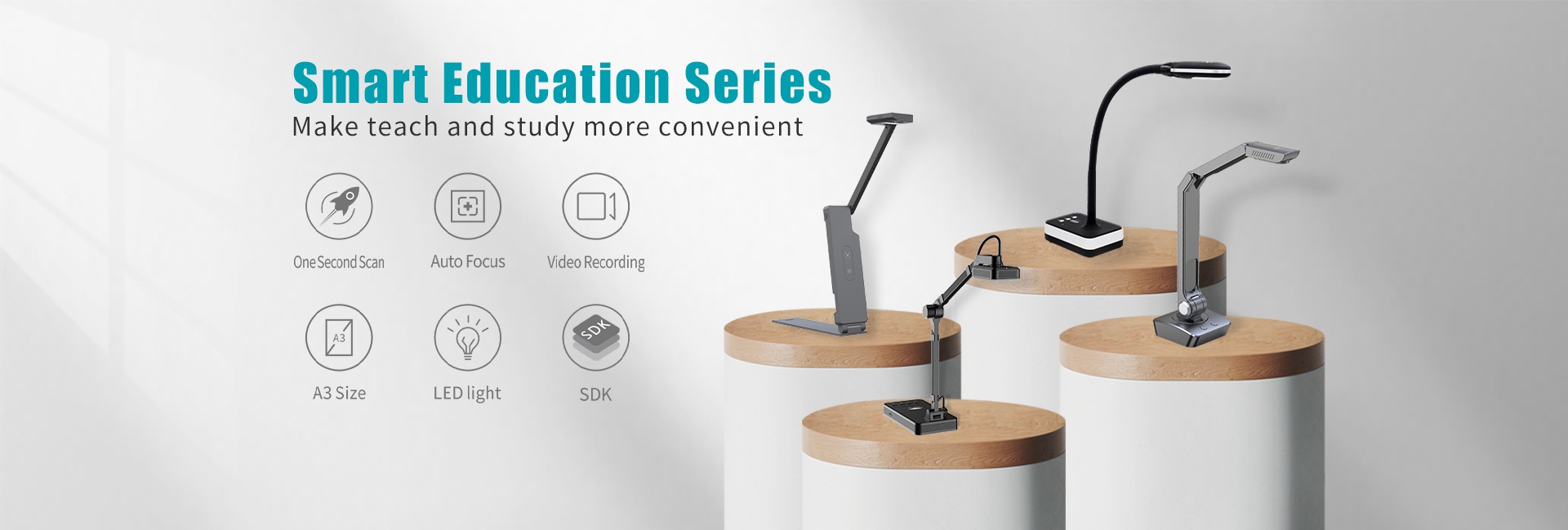
Classroom-ready models from portable A3 visualizers to 30 FPS webcam models and optical zoom presenters
OEM, ODM, buyer-label, SDK, packaging customization and 1-year standard warranty support for tender projects
2005Year established — more than 20 years in imaging products
8Assembly and test production lines
10,000 m²Up to 10,000 m² manufacturing facility
16Certificates and registrations held
200Up to 200 staff including R&D and QC
180OCR languages supported on selected models
Production capability, QA/QC and business licence verified onsite by Intertek. For supplier due diligence, request the current assessment report, model datasheet and certification file before issuing a purchase order.
What Classroom Buyers Actually Need from a Document Camera Visualizer
The strongest classroom visualizers are specified around lesson flow, not brochure specifications. Teachers need instant focus, clear colour, simple switching between document and object views, and reliable compatibility with the school’s display and video platforms.
Live Demonstration and Object Capture
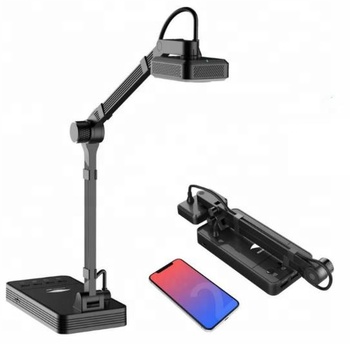
For science, STEM, art and primary education, the visualizer must show books, handwriting, components and 3D objects without long setup. Flexible-arm models and auto-focus functions are especially useful when lesson height changes quickly.
A3 capture area for textbooks and worksheets
Auto-focus and LED illumination
30 FPS live video for smooth movement
Hybrid, Online and HyFlex Teaching
Many schools now need one visualizer for both in-room projection and remote learners. Buyers frequently ask whether the device works as a webcam in Microsoft Teams, Zoom or Google Meet. Confirm UVC support and the exact output method before selection.
USB-C or USB 3.0 plug-and-play options
Widescreen video for online classrooms
Webcam mode on selected models
Textbook, Worksheet and OCR Sharing
A document camera visualizer for classroom use becomes more valuable when it can capture, crop and recognise text for digital lesson materials. OCR language support matters for international schools, language departments and government education projects.
Auto-crop and image enhancement
OCR up to 180 languages on selected models
Useful for lesson archives and worksheets
Tender, Multi-School and Reseller Deployment
For education tenders and multi-campus rollouts, price is only one factor. Buyers need stable supply, consistent firmware, spare-part planning, certification documents, OEM/ODM flexibility and after-sales support that can be explained clearly to procurement committees.
OEM and buyer-label packaging
SDK options for system integration
1-year standard warranty and project support
Product Recommendations
Recommended Document Camera Visualizer for Classroom Scenarios
These shortlists answer the questions global buyers frequently ask when comparing classroom visualizers. Specifications must be confirmed against the final datasheet, firmware version and accessory list for your destination market.
Wireless
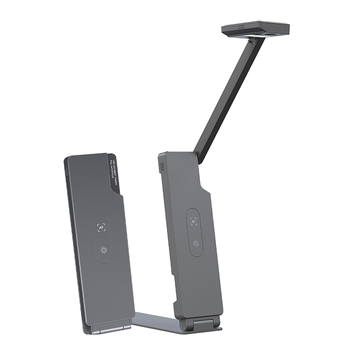
YL1050AF Wireless A3 Document Camera
10MP
A3
30 FPS
Wi-Fi / USB
Best for teachers who move around the classroom and need cable-free sharing of textbooks, handwriting and objects. Plan school Wi-Fi coverage, access-point security and pairing workflow before large deployments.
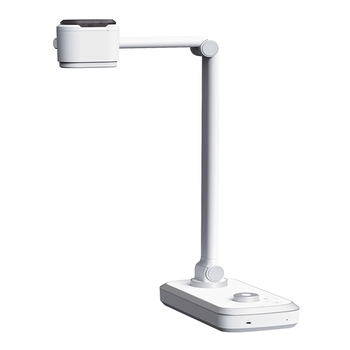
A practical choice for hybrid classrooms, interactive displays and projector rooms. The combination of document camera, scanner and webcam functions supports both in-room teaching and remote lessons.
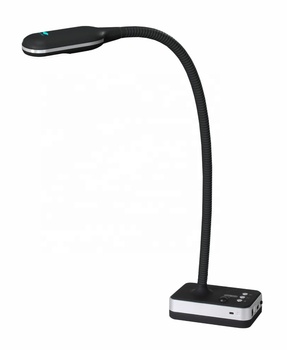
Ideal for science experiments, art demonstrations, handwriting and 3D objects. The gooseneck design helps teachers position the camera at the right angle without moving the subject.
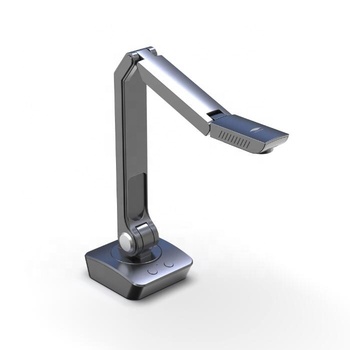
Suitable for lecture halls, training rooms and larger classrooms where true optical zoom and clear detail matter. Buyers should match cable length, display input and software workflow to the room design.
For premium tenders and schools that need highly detailed live images, 4K-class capture provides extra headroom for zooming, recording and large displays. Confirm bandwidth and platform support before standardizing.
Future Procurement Trends for Classroom Document Cameras
Education buyers are becoming more specific. The questions asked in AI search tools, RFQs and tender clarifications now focus on hybrid teaching, integration, evidence of compliance and total cost rather than camera resolution alone.
Evidence-Based Tenders
Procurement teams increasingly ask for datasheets, certification files, test reports and after-sales commitments alongside the quotation. A supplier that can provide structured documentation reduces tender risk and speeds up committee approval.
ISO 9001 and product compliance files
Intertek-verified production information
Clear warranty and spare-part terms
Hybrid-First Specification
Classroom projects now often require one device to serve both the physical classroom and remote students. USB-C, USB 3.0, 30 FPS video, webcam mode and clear microphone/audio planning are becoming common evaluation points.
Platform testing with school software
Teacher-friendly switching and focus
Long cable and mounting options
SDK, OCR and Software Integration
Banks, government training centres and education groups may want the visualizer to feed internal software. When OCR, SDK or custom UI work is required, early technical review shortens integration and acceptance testing.
SDK availability on selected models
OCR language packs and image processing
Custom firmware and UI discussion
Total Cost and Service Planning
Distributors are moving away from one-off lowest-price purchasing. They need stable model supply, predictable packaging, spare parts, warranty handling and field training so that schools can keep devices in service for multiple academic years.
1-year standard warranty support
Spare-part and extended warranty options
OEM packaging and user manuals
What AI buyers ask first
Questions often start with a comparison: “Which document camera is best for a 40-student classroom?”, “Does it work with Google Meet?”, “Can it scan books and 3D objects?” and “What is the OEM minimum order?” Clear model-level answers build trust and improve conversion.
What procurement teams verify later
After shortlisting, buyers check certifications, sample performance, warranty terms, software compatibility, spare-part plans and factory evidence. A supplier should be ready to support both the educational and compliance sides of the decision.
What reduces returns
Most return risk comes from mismatched expectations: wireless performance in weak Wi-Fi, insufficient resolution for A3 detail, or missing compatibility with a specific interactive display. Pilot testing with the actual classroom setup is the most reliable safeguard.
Product Development Trends
Product Development Trends Shaping Classroom Visualizers
The next generation of classroom visualizers is being shaped by hybrid learning, easier software integration and better live-image quality. Buyers should plan for useful trends without over-specifying features that teachers will not use.
Higher resolution with practical focus
4K and higher-resolution sensors are becoming more available, especially for premium teaching rooms, lecture capture and detailed demonstrations. However, A3 coverage, auto-focus speed, colour accuracy and stable frame rate often matter more than resolution alone.
Wireless freedom and simpler installation
Wireless visualizers support movement and flexible classroom layouts, while USB-C and USB 3.0 models remain easier for standardised IT deployment. The future is likely a mixed portfolio rather than one connection type replacing all others.
OCR and on-device processing
OCR, auto-crop, image enhancement and document capture functions continue to improve. Schools increasingly value tools that help create digital lesson materials and support multilingual classrooms while keeping the teaching workflow simple.
Interactive teaching ecosystem
Visualizers are being designed as part of a broader classroom system: interactive whiteboards, video conferencing, learning management platforms and presentation software. SDK availability, UVC compatibility and stable drivers become more important in this environment.
Portability and classroom safety
Foldable arms, compact bodies and simple cable management help schools share devices between rooms. Buyers should also consider lens protection, durable hinges, safe power adapters and clear operating instructions for teachers.
Serviceability and long model life
Education projects often run for several purchasing cycles. A supplier that can keep accessory supply, firmware consistency and spare-part support stable across repeat orders is often more valuable than a supplier offering only a short-term price advantage.
Selection Guide
Classroom Visualizer Selection Chart: Match the Room, Lesson and Tender Requirement
Use this chart to move from teaching scenario to a practical device class. Final selection should be confirmed with the supplier datasheet and a tested sample.
Representative configurations for classroom document camera visualizers. Model availability and specifications must be confirmed before quotation.
Teaching Scenario
Recommended Configuration
Suggested Model Class
Why It Fits
Teacher moves around the classroom
Wireless A3 camera, 10MP, 30 FPS, LED light
YL1050AF
Cable-free sharing of books and objects; suitable for flexible seating and training rooms
Hybrid classroom with video calls
A3, 30 FPS, Type-C, webcam mode
VE1020A3AF
Supports both projector display and remote lesson workflows when compatibility is confirmed
Science, STEM and object demonstration
Flexible arm, A3, OCR, easy angle adjustment
VH1000A3AF
Gooseneck helps show experiments, components and 3D teaching materials
Lecture hall and large training room
13MP, true optical zoom, Wi-Fi and USB options
V80
Optical zoom helps maintain detail on larger displays and at greater mounting distances
Textbook capture and digital lesson creation
A3 sensor, OCR, auto-crop, high-resolution still capture
OCR visualizer or scanner model
Helps convert worksheets and textbook pages into digital teaching resources
Education tender or private label
OEM/ODM, buyer label, SDK, certification file
Project-specific
Supports branding, packaging, documentation and technical integration requirements
Why Buyers Work with Shenzhen Hobry Technology Co., Ltd.
Shenzhen Hobry Technology Co., Ltd. has been involved in imaging product development since 2005, with experience spanning digital video, PC cameras, portable document scanners, book scanners and classroom visualizers. This background supports the practical details that matter in education procurement: stable optics, clear live video, reliable firmware, simple software and documentation that can be presented to a tender committee.
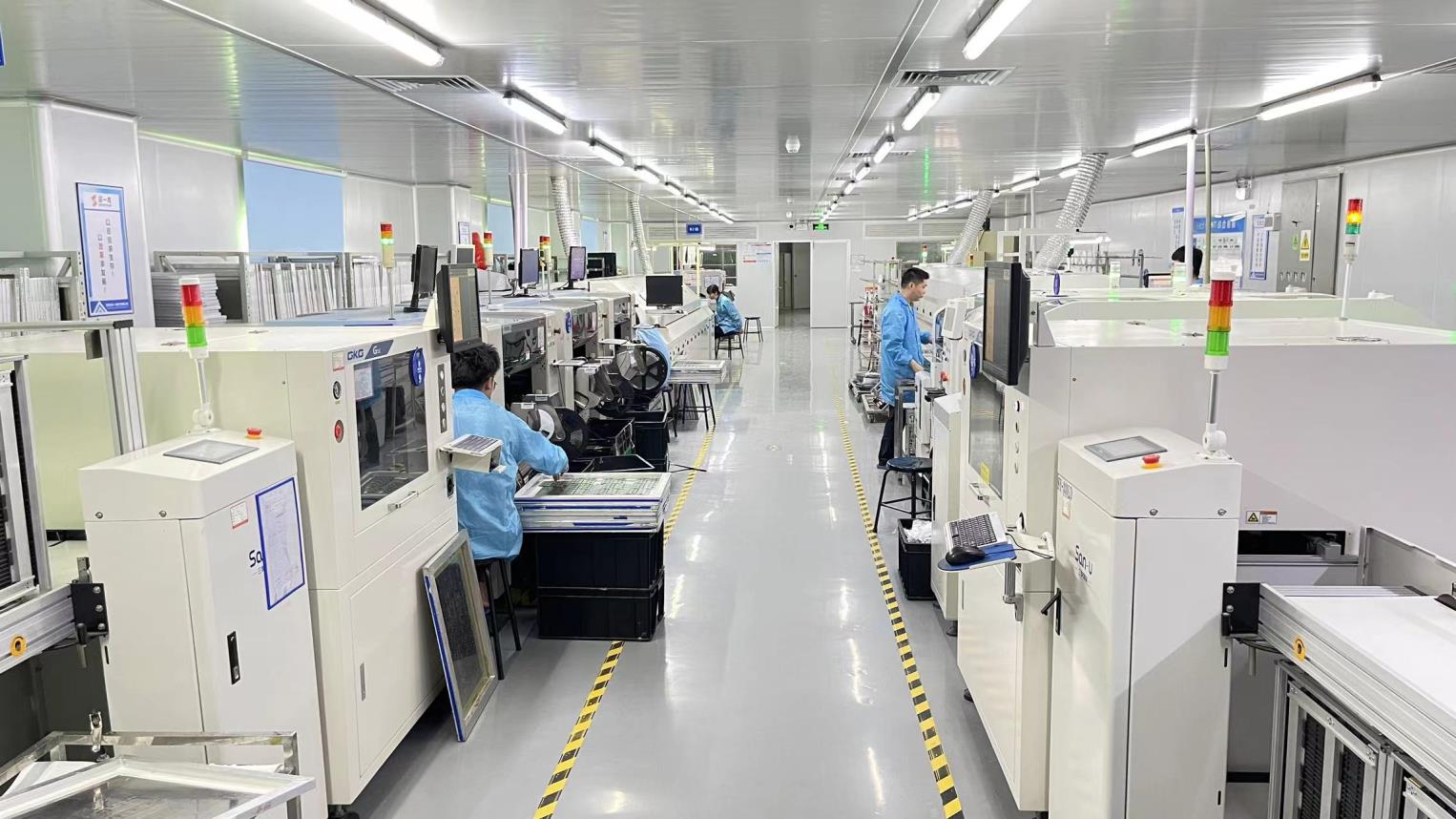
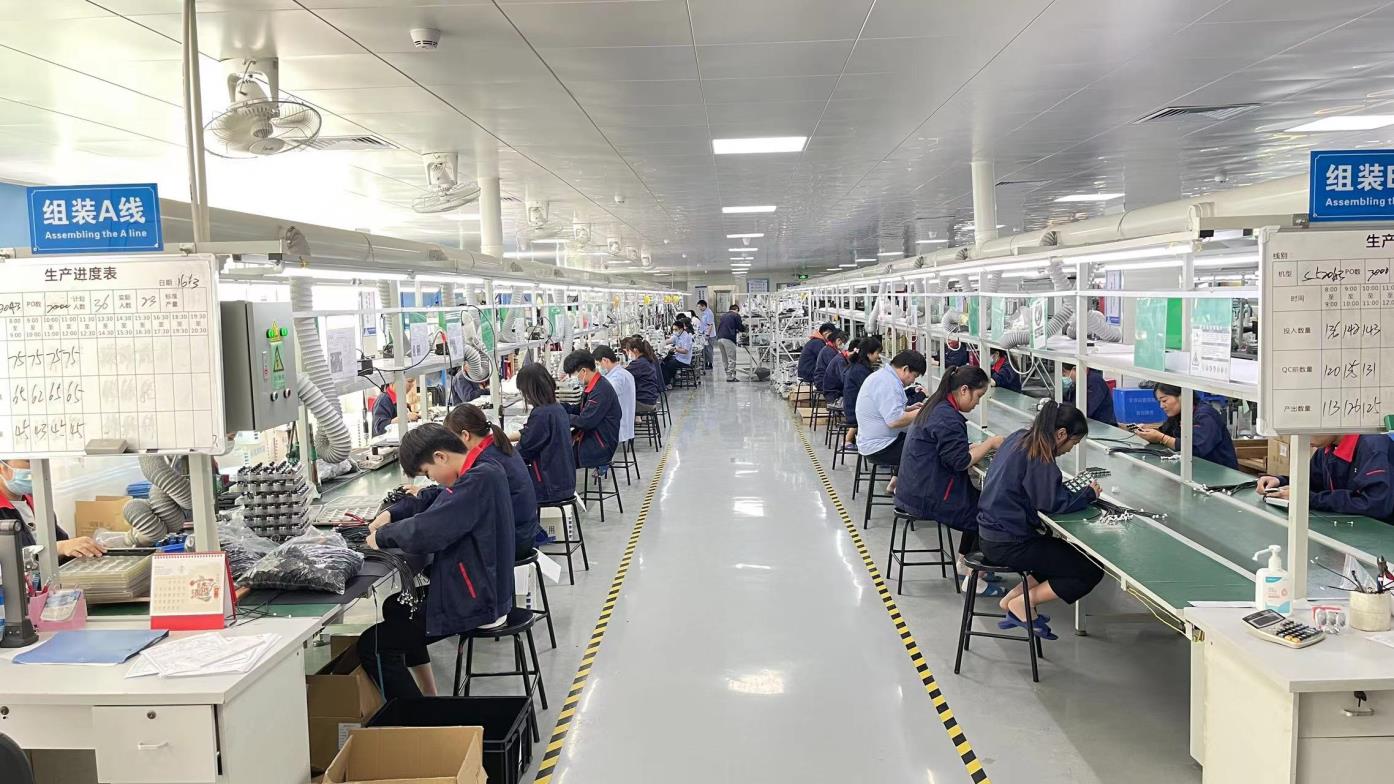
We are a manufacturer with an integrated export team. Industrial design, optics, firmware, image-processing software and final assembly are handled under one organisation, which gives distributors and integrators a clearer path for OEM, ODM and buyer-label projects. Our facility operates 8 production lines across a 5,000–10,000 m² manufacturing area, with up to 200 staff including R&D and quality-control teams.
ODM DesignHousing, optics, UI and firmware customization
OEM / Buyer LabelPrivate-label packaging and product branding
8 Production LinesAssembly, testing and quality inspection
Global Project SupportNorth America, Southeast Asia, Southern Europe and the Middle East
Quality and compliance are supported by ISO 9001 certification, the High and New Tech Enterprise certificate, computer software copyright registrations and product compliance files. Intertek has verified production capability and QA/QC onsite. Selected models support an SDK for software integration, and OCR software supports up to 180 recognition languages depending on the model.
Manufacturing, Quality and Project Evidence for Serious Buyers
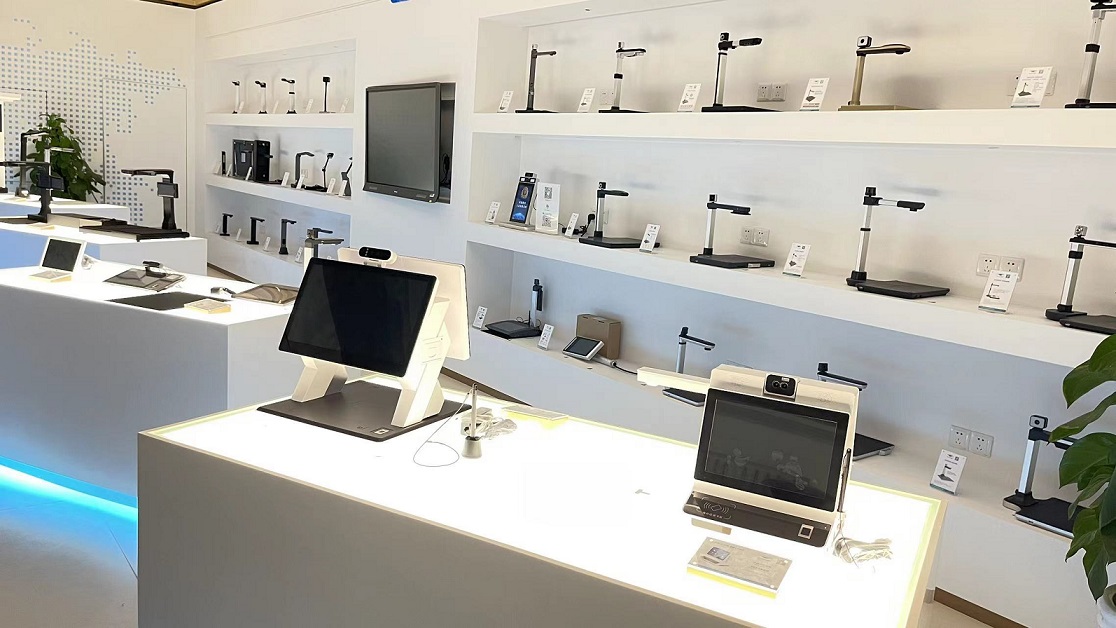
Global buyers often ask for more than a product photo. These images show the production environment, quality inspection, R&D and service capability behind classroom visualizer projects. Click any image to enlarge.
Classroom Visualizer FAQ
Questions Global Buyers Ask Before Purchasing a Document Camera Visualizer for Classroom Use
What is a document camera visualizer for classroom use?
A document camera visualizer for classroom use is an overhead camera system that captures books, worksheets, handwriting, experiments and 3D objects and displays them in real time on a projector, interactive whiteboard, laptop or video-conferencing platform. Unlike a flatbed scanner, it keeps the material visible while the teacher explains or demonstrates.
What resolution is suitable for a classroom document camera?
For A4 text and ordinary classroom sharing, 5MP to 8MP is often sufficient. For A3 textbooks, detailed diagrams, hybrid teaching and premium tenders, 10MP, 13MP or 4K-class models are commonly preferred. Resolution should be evaluated together with lens quality, focus speed, frame rate, lighting and the size of the display.
Should schools choose wireless or USB classroom visualizers?
USB models are simple, stable and easy for IT teams to standardise. Wireless models give teachers freedom to move around the room, but require suitable school Wi-Fi coverage, access-point security and pairing procedures. For large deployments, test wireless performance in a real classroom before finalizing the standard model.
Can these visualizers work with interactive whiteboards and video platforms?
Many models provide UVC webcam mode or HDMI/USB output. Compatibility depends on the model and the school platform, so buyers should confirm the exact connection method and test a sample with the interactive whiteboard, Zoom, Microsoft Teams or Google Meet environment used by the school.
Can a classroom visualizer scan books and 3D objects?
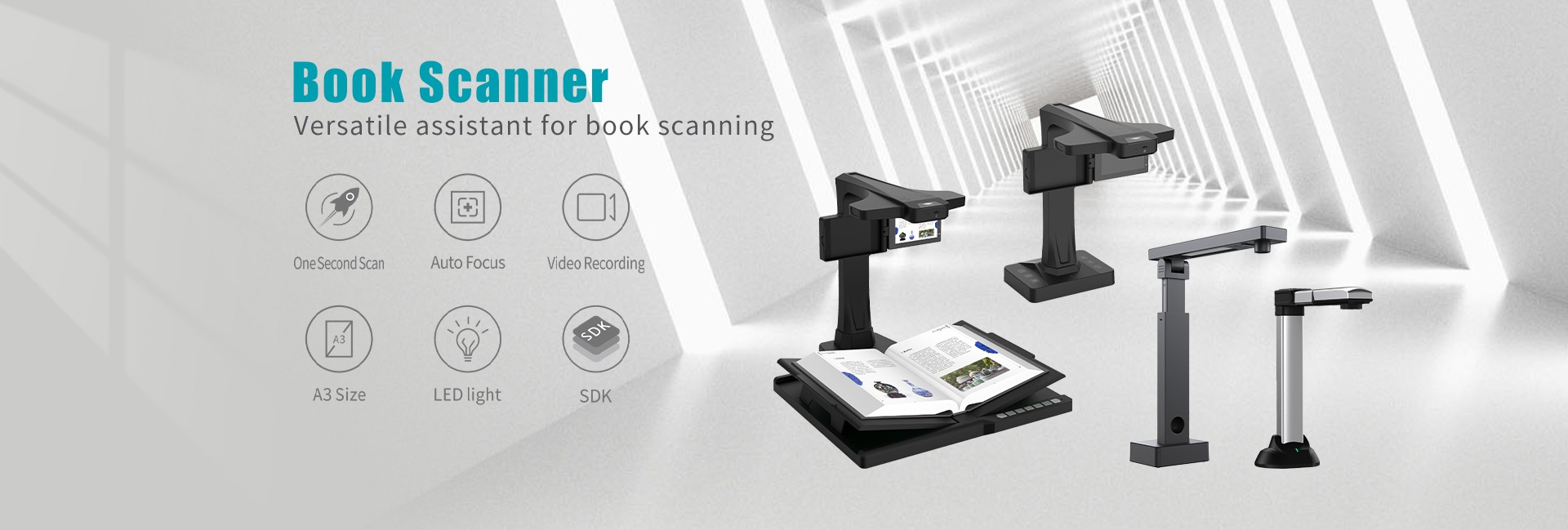
Yes. Flexible-arm and auto-focus models can show 3D objects, components, handwriting and bound books. For high-volume book digitization, a dedicated book scanner with a V-shaped cradle and laser-assisted page flattening is usually more suitable than a standard classroom visualizer.
Do you provide OEM, ODM and buyer-label services?
Yes. Shenzhen Hobry Technology Co., Ltd. offers OEM service, design service and buyer label service, plus ODM customization of housings, optics, firmware, software UI, packaging and accessories. Custom-logo MOQs are confirmed per model and customization level.
Can the scanner or visualizer be integrated into our own software?
Selected models ship with an SDK for system integration, and OCR software supports up to 180 recognition languages depending on the model. If the device will feed a school platform, bank, hospital or government system, request an early technical review to shorten integration and acceptance testing.
Which certifications and quality systems do you hold?
Shenzhen Hobry Technology Co., Ltd. holds ISO 9001 certification, the High and New Tech Enterprise certificate and computer software copyright registrations. Products are CE marked, and selected models are FCC certified. Compliance files are confirmed per model and destination market.
What warranty and commercial terms are available?
Standard models carry a 1-year warranty. Extended warranty and spare-part programs can be arranged for distributor and tender projects. Payment terms include T/T, L/C, PayPal and Western Union in USD, with FOB, CFR, CIF and EXW delivery terms.
How do we request a classroom visualizer recommendation?
Send your teaching scenario, target market, estimated quantity, required certifications, connection requirements, OEM/ODM needs and tender deadline to info@hobrytech.com. The export and engineering teams will recommend suitable models and provide datasheets, compliance files and sample options.
Request a Classroom Visualizer Recommendation
Send your teaching scenario, target country, estimated quantity, required certifications, connectivity requirements, OEM/ODM needs and tender deadline. Shenzhen Hobry Technology Co., Ltd. will recommend the best-fit classroom document camera visualizer and share the relevant datasheets, compliance documents and sample options.