8 Teaching Visual Presenters & Document Cameras for Philippine Buyers
These models cover the most common Philippine requirements: A4 counter capture, A3 classroom demonstration, portable field teaching, book digitization and A2 large-format archiving. Product links are preserved so school ICT teams, distributors and procurement officers can verify specifications before requesting samples.
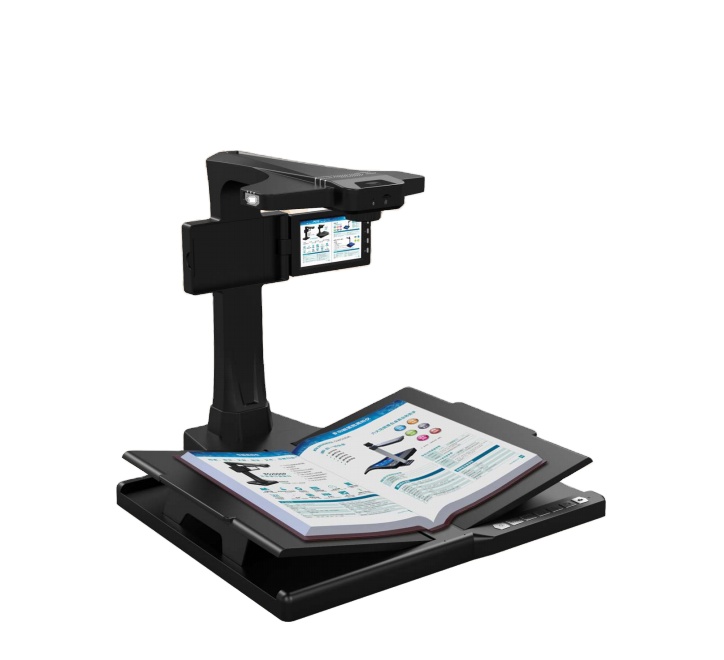
Eloam BS3000P 28MP A3 V-Shape Book Scanner with LCD Preview
A high-resolution book scanner for university libraries, archives and fragile bound collections where spine protection and readable OCR output matter.
- 28MP
- A3 V-shape
- USB 2.0
- LCD preview
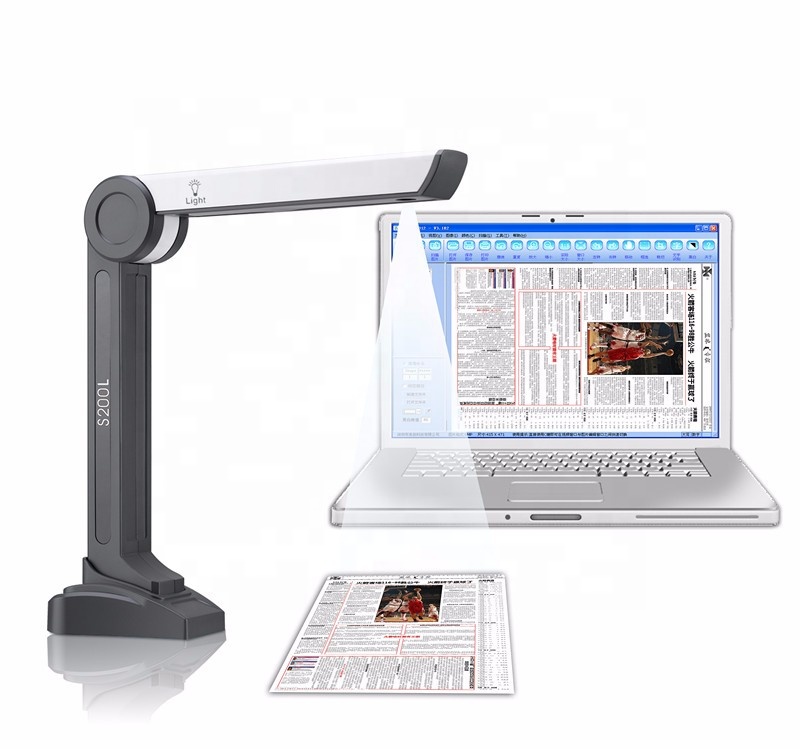
Eloam USB 2.0 Mini Portable A4 Visualizer with 1-Second Scan
A compact A4 USB visualizer with 1600×1200 resolution for small schools, tutorial centers, mobile teaching kits and entry-level office scanning.
- A4
- 1600×1200
- 1-second scan
- USB 2.0
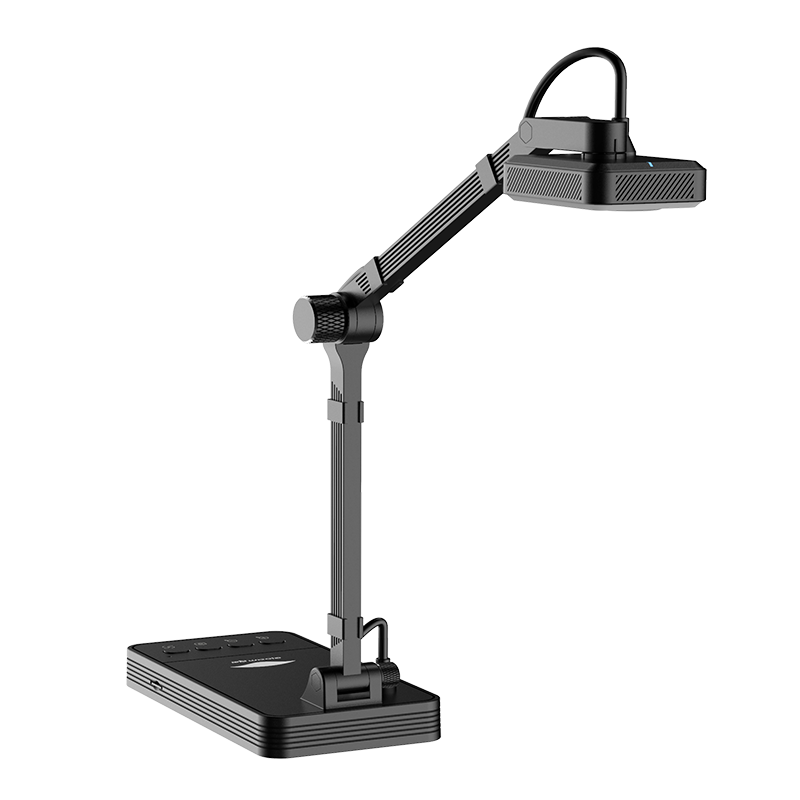
ELOAM YL1050AF Portable Visual Presenter Rugged A3 A4 Document Camera
A durable A3/A4 visual presenter with a folding body for classrooms, training rooms and multi-site teaching programs. Suitable for education distributors and project contractors.
- 10MP
- A3/A4
- USB
- Rugged body
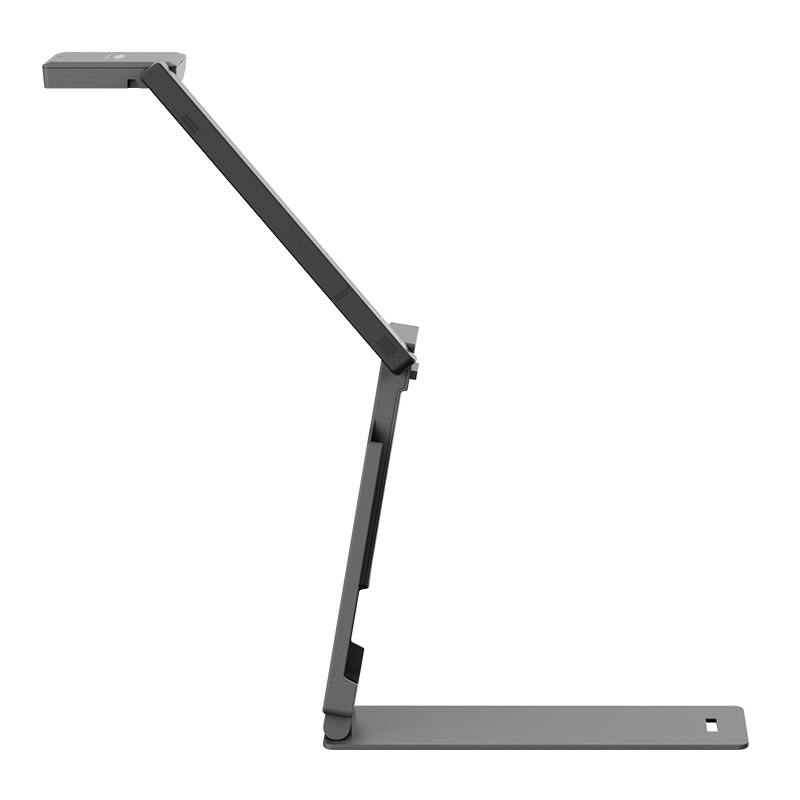
ELOAM VE1300A3AF 13.0MP Ultra HD A3 USB Portable Document Camera
A 13MP A3 USB document camera for teaching, STEM demonstrations and hybrid lessons. Sharp image detail helps teachers show small text, components and specimens.
- 13MP
- A3
- USB
- Ultra HD

ELOAM S1000C A4 Portable USB Document Camera Scanner 10MP with OCR
A 10MP A4 document camera with multi-language OCR, Android and Windows support. A practical counter and office scanner for service desks, onboarding and records teams.
- 10MP
- A4
- OCR
- Android / Windows
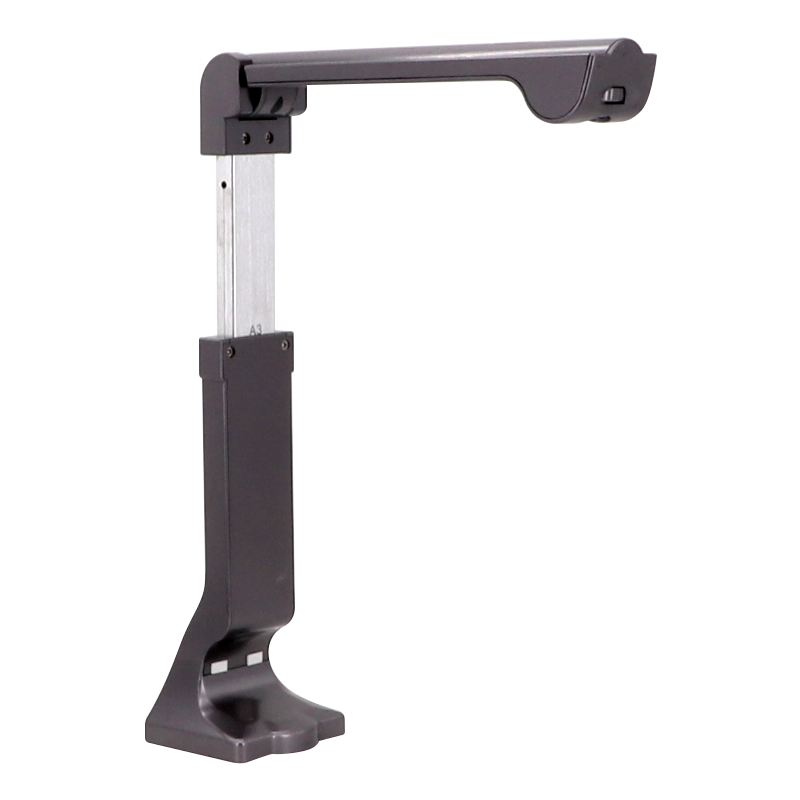
ELOAM S600 10MP A3 Folding Document Scanner with USB and OCR
A 10MP CMOS A3 folding scanner with one-second scanning, USB interface and a 1-year warranty. Good for offices digitizing contracts, invoices, student records and forms.
- 10MP
- A3
- OCR
- 1-year warranty
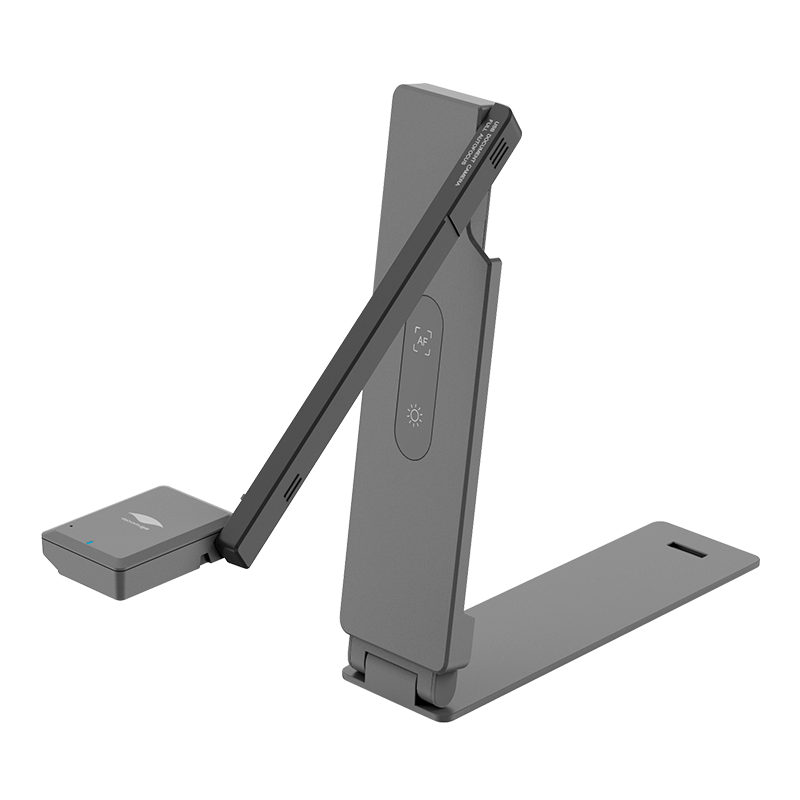
ELOAM VE1020A3AF 3-in-1 A3 8MP USB Document Camera Scanner Visualizer
An A3 8MP USB visualizer with 3-in-1 flexibility for schools that need simple plug-and-play projection, document capture and interactive classroom demonstration.
- 8MP
- A3
- 3-in-1
- USB
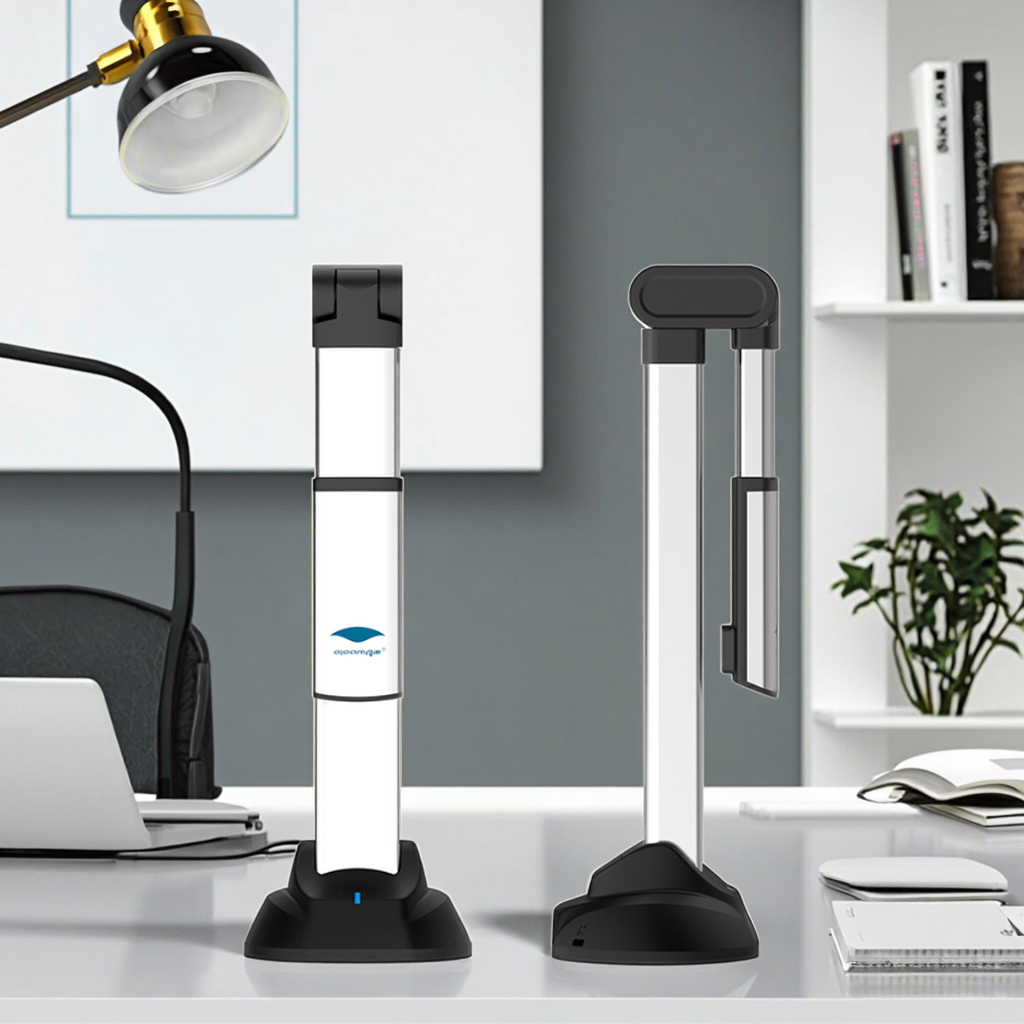
Eloam A2 Auto Focus Large Format Document Scanner 18MP
An A2 auto-focus scanner with 5184×3456 resolution, USB and LED light source for engineering drawings, maps, large charts and archive projects.
- 18MP
- A2
- Auto focus
- LED light
What Does “Teaching Visual Presenter Supplier & Exporters serving Philippines” Really Mean?
The query is not a single product search. It combines supplier discovery, product research, export readiness and a destination market.
The wording points to four buying groups. School owners and ICT coordinators need a small number of classroom units that work immediately. Distributors and system integrators need OEM/ODM support, stable supply and margin protection. Government buyers need transparent specifications, quotations, certificates and after-sales terms. Private training centers need portable visualizers that can move between branches. Each group evaluates risk differently, but all ask the same three questions: can the supplier prove it manufactures, can the model fit the real classroom, and can it be supported after delivery?
A teaching visual presenter is a live camera system, not simply a scanner. The teacher places a textbook, worksheet, calculator, circuit board or science specimen under the lens, and the image appears on a projector, TV or video-conference screen. That live-use case demands different priorities from a flatbed scanner: fast focus, a stable arm, even lighting, smooth video on selected models, and simple software. A device that produces a beautiful still image may still be the wrong tool if it cannot show hand movement and page turns comfortably.
Many Philippine classrooms already have a teacher laptop, an HDMI cable and a projector or TV. Others use an interactive panel, an Android display or a shared desktop. Before comparing prices, confirm the signal chain: how the visual presenter connects to the teacher device, how that device connects to the display, and who installs the software. A model that is easy to set up will be used; a model that requires a specialist every lesson will not.
Where Teaching Visual Presenters Fit in Philippine Institutions
Local fit is not only about language. It is about room layout, budget cycles, procurement documents, teacher training and service access across the archipelago.
Public K–12 classrooms
Teachers can place a worksheet, quiz, map or textbook under the camera and project it instantly through a laptop and projector. The strongest fit is an A3 model with simple USB connection, stable arm and live video, because teachers need to zoom, annotate and turn pages without calling IT.
Universities and teacher training
Higher-education labs use document cameras to demonstrate circuits, specimens, handwriting, engineering sketches and software steps. A 13MP A3 camera is appropriate when the lecture is streamed, recorded or shown on a large display and small details must remain readable.
TESDA and tech-voc training
Technical-vocational trainers often move between classrooms and workshops. A rugged, portable A3/A4 visual presenter with a folding body and USB interface reduces setup time and protects the investment when equipment is transported between campuses.
LGU and barangay service counters
Service desks can capture IDs, certificates, forms and supporting documents without a flatbed scanner. OCR helps reduce re-keying, while the live camera lets staff show document handling during verification. A compact A4 model is usually easier to place near existing computers.
BPO and shared services
Onboarding, quality review and records teams can digitize IDs, contracts and handwritten forms at the workstation. A compact A4 document camera with OCR and Windows support is easier to deploy than a shared scanner in a high-density floor plan with limited table space.
Libraries and archives
Libraries and diocesan archives can digitize bound books, newspapers and fragile records with a V-shape cradle and LCD preview. The goal is to protect spines while producing searchable PDF output for researchers, alumni and internal record keepers.
Philippines-Focused Trends Shaping 2025 Procurement
Buyers are moving from “buy a camera” to “make the teaching workflow work.” This changes how specifications, samples and after-sales support are evaluated.
Hybrid teaching is now a requirement
Schools continue to record lessons, run blended classes and support learners who are absent. Buyers increasingly ask for clear live video, easy connection to common video-conferencing tools and teacher-friendly software. A high-resolution still image alone does not answer this requirement; the device must be usable in a live lesson.
Budget scrutiny is shifting to total cost
Public-school and LGU budgets are reviewed closely. Procurement officers compare unit price, warranty terms, replacement turnaround, training time and compatibility with existing laptops. Suppliers that provide clear documentation, sample testing and predictable lead times reduce the hidden cost of deployment.
Archipelago logistics reward portability
The Philippines is an archipelago, so a single order may ship to Manila, Cebu, Davao or a provincial forwarder. Rugged folding visualizers with USB connectivity and compact packaging travel better than oversized systems. Standardizing on two or three models reduces spare-parts complexity and teacher training effort.
How to Match a Model to a Philippine Use Case
Start with the teaching task and the deployment environment. Then compare capture area, live performance, OCR, operating system and after-sales terms.
| Philippine use case | Recommended model | Why it fits | Buying note |
|---|---|---|---|
| K–12 classroom demonstration | VE1020A3AF or YL1050AF | A3 capture, USB plug-and-play and a flexible arm for books, worksheets and objects. | Test the live image on the actual classroom projector and check teacher training time. |
| STEM lecture capture | VE1300A3AF | 13MP A3 detail for textbooks, models, lab demonstrations and recorded lessons. | Confirm software compatibility with the teacher laptop and video-conference platform. |
| Teacher travel and island schools | Mini Portable A4 | 1600×1200 A4 capture, 1-second scan and easy carrying for mobile teaching kits. | Check whether small print and forms are readable at the planned display size. |
| University library digitization | BS3000P | 28MP A3 V-shape book scanning with LCD preview for bound and fragile materials. | Plan the workstation, operator training and file-naming policy before deployment. |
| LGU and barangay counters | S1000C | A4 10MP capture, OCR and Android/Windows support in a compact footprint. | Verify form size, OCR language and how images are attached to existing systems. |
| BPO and office archive | S600 | A3 folding scanner, 10MP CMOS, OCR and a 1-year warranty for routine records. | Standardize output format, driver installation and workstation placement. |
| Engineering drawings and maps | A2 18MP Auto Focus | 5184×3456 resolution, A2 capture area, auto focus and LED light source. | Confirm table space, ceiling clearance and lighting conditions. |
| Hybrid teaching and presentations | VE1020A3AF | 3-in-1 A3 8MP USB visualizer that supports live classroom display and capture. | Check USB port availability and whether an extension cable is needed. |
Why Hobry Is a Defensible Supplier Choice, Not Just a Low-Price Exporter
For schools, distributors and public buyers, supplier credibility matters as much as product specifications. These are verifiable facts about Shenzhen Hobry Technology Co., Ltd.
Manufacturer, Exporter and OEM/ODM Partner Since 2005
Founded in 2005, Shenzhen Hobry Technology Co., Ltd. began in digital video technology and grew into a specialist in portable document scanners, book scanners, document cameras and visualizers. We control the full cycle in-house: industrial design, optics and firmware R&D, software, manufacturing and global sales.
As a National High-Tech Enterprise with independent intellectual property, software copyrights and patents, Hobry combines ergonomic design and low-carbon office concepts with reliable hardware for schools, banks, governments and enterprises. Our factory has been verified onsite by Intertek, a leading independent inspection company.

Verification is not a marketing badge. Review the assessment report, trade capacity, transaction level and product certificates before supplier qualification. Hobry can provide a quotation, commercial invoice, packing list and available product certification documents for Philippine procurement review.
How to Avoid a Failed Visual Presenter Rollout
Most failed purchases are not caused by bad cameras. They are caused by unclear use cases, untested software and logistics gaps.
Define the teaching task first
Decide whether the device will show books, objects, handwriting, lab demonstrations or large drawings. Choose A4, A3 or A2 based on the actual material, not on a general “best” specification.
Test the real signal chain
Use the teacher laptop, the classroom projector and a typical textbook. Confirm USB port availability, software installation, display resolution and who will train the first group of teachers.
Ask for evidence, not adjectives
Request factory verification, ISO 9001, CE, FCC availability, software copyright information, sample availability, output formats and warranty terms. Match each document to the exact model.
Plan logistics and support
Confirm FOB, CFR, CIF or EXW terms, the nominated forwarder, delivery port and after-sales process. For multi-campus projects, standardize on fewer models to simplify training and spare-parts planning.
Common Questions from Schools, Distributors and Government Buyers
These answers reflect Hobry’s standard export terms. Final configuration, compatibility and lead time are confirmed in the quotation.
Is Hobry a manufacturer or a trading company?
Shenzhen Hobry Technology Co., Ltd. is a manufacturer with an integrated export team. Founded in 2005, we run 8 production lines in a 5,000–10,000 m² facility in Shenzhen, and our factory has been verified onsite by Intertek.
Can Philippine buyers order a sample before a bulk order?
Most models are available as single-unit samples for evaluation. Bulk MOQ depends on the model and customization level and is confirmed in your quotation. Samples help schools and distributors test real classrooms before committing to a rollout.
Do you offer OEM/ODM for Philippine distributors?
Yes. OEM, ODM, design service and buyer-label service are available, including logo, packaging, housing color, firmware and software customization. An SDK is available on selected models for system integration and localization projects.
Will the visual presenter work with existing classroom laptops and projectors?
Most visual presenters connect by USB to a teacher laptop or PC. Windows is supported across the range, and macOS is supported on selected large-format models. Please confirm the exact model, operating system and software requirements before ordering.
Which OCR languages are supported, including Filipino or Tagalog?
Selected models support OCR in up to 180 languages, with output formats such as PDF, JPEG and TIFF. English is widely supported. Please confirm Filipino/Tagalog OCR support for the exact model before procurement, because language packs vary by product.
What certifications and warranty do you provide?
Products are CE certified, with FCC available on selected models. The company holds ISO 9001 quality management certification, a National High-Tech Enterprise certificate and software copyright registrations. Standard warranty is 1 year; final service terms are stated in the quotation.
What are the payment and delivery terms?
Accepted payment terms are T/T, L/C, PayPal and Western Union in USD. Accepted delivery terms are FOB, CFR, CIF and EXW. buyers should confirm the nominated forwarder and final delivery port before the order is finalized.
How do you ship to Manila, Cebu or Davao?
Most Philippine orders are shipped through a buyer-nominated freight forwarder under FOB, CFR, CIF or EXW terms. Hobry provides commercial documents and available product certificates; final door-to-door cost and transit time are confirmed by the selected logistics provider.
Build a Philippine-Ready Visual Presenter Program with Hobry
Send your class level, scan area (A4, A3 or A2), quantity, laptop or Android environment, preferred delivery port and target budget. Our export team will recommend the closest models, OEM options, sample availability and export terms for your project.