A Wireless Document Camera can turn a printed worksheet, circuit board, or handwritten diagram into a live classroom image without a cable linking the camera to the display. That freedom is useful, but it does not guarantee a clear lesson. Image sharpness, stable wireless transmission, battery life, and simple device pairing all matter when a teacher is moving between desks. Richard E. Mayer, a leading researcher in multimedia learning, writes, “People learn better from words and pictures than from words alone.” A document camera can help bring those pictures into view, though the learning still depends on how well the teacher uses them.
This guide to China’s top Wireless Document Camera manufacturers focuses on practical evidence rather than impressive-sounding specifications alone. It considers product range, image performance, connection options, software support, customization, and the clarity of each manufacturer’s technical information. Buyers should also ask how a camera performs in a real room: Does it reconnect quickly after a network interruption? Can it capture small print under ordinary classroom lighting? Those details can be missed in a polished product sheet.
A useful shortlist is only a starting point. Manufacturing claims, certifications, and after-sales support should be checked directly with each supplier, because product lines and service arrangements can change. Some comparisons may remain imperfect when manufacturers publish different levels of test data. That uncertainty deserves attention, not a confident guess. The aim here is to help schools, distributors, and business buyers ask better questions before choosing a supplier.
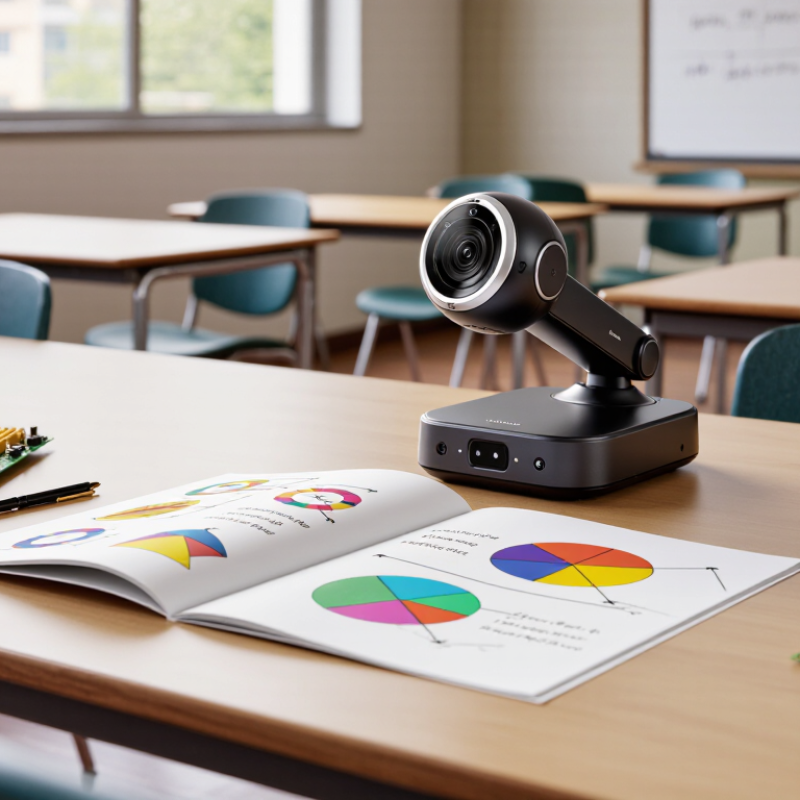
What Is a Wireless Document Camera and How Does It Work?
A wireless document camera captures live images of paper, books, diagrams, or small objects and sends them to a screen without a direct video cable. It usually combines a camera head, adjustable arm, built-in lighting, and a wireless connection. Teachers and presenters can show a handwritten equation or a tiny object to a whole room. Setup is simple.
The camera converts what it sees into digital video. It then sends that video through a local wireless network or a dedicated receiver to a computer, tablet, or display. Compatible software may let users freeze an image, zoom in, or save a still frame. The exact features depend on the camera and receiving device, so checking connection requirements before a presentation can prevent avoidable delays.
Wireless does not mean effortless. A crowded network, low battery, or poor positioning can affect image quality and responsiveness. Not always. In a real classroom, even a short delay can interrupt a demonstration, and glossy pages may reflect the camera’s light. A stable surface, clear view, and quick connection test help. I would still keep a wired backup nearby for important lessons.
China Top Wireless Document Camera Manufacturers? - What Is a Wireless Document Camera and How Does It Work?
| Dimension | What It Means | How It Works or Typical Details |
|---|---|---|
| Definition | A wireless document camera is an overhead imaging device used to display physical materials or objects on a screen. | It captures items such as pages, diagrams, books, and small objects, then sends the image to a computer, display, or conferencing system without requiring a wired video connection for that transmission. |
| Image sensor | The sensor converts light reflected from the document or object into digital image data. | Products commonly use CMOS image sensors. Sensor resolution and image quality vary by model, lighting, optics, and processing. |
| Wireless connection | The link carries captured images or video to a compatible receiving device. | Wi-Fi is commonly used. Some models support 2.4 GHz, 5 GHz, or both; supported bands and connection methods depend on the device and local network. |
| Image transmission | Captured image data is encoded and sent over the wireless link. | The receiving computer or display decodes the stream. Network quality, distance, interference, and video settings can affect smoothness and delay. |
| Resolution and frame rate | These describe image detail and the number of video frames displayed each second. | Specifications differ across models. Some provide Full HD output, while higher-end options may support 4K output; frame rates and available resolutions depend on the camera and connection. |
| Lens and focus | The lens directs light onto the sensor, while focus keeps the subject clear. | Models may use fixed focus or autofocus. Close-up clarity and capture area depend on lens design, camera height, and working distance. |
| Lighting | Illumination helps the camera capture readable text and visible object details. | Some cameras include an adjustable built-in LED light. Ambient light, reflections, and shadow placement can also affect image quality. |
| Capture area | The area visible beneath the camera is the portion of a page or object shown at one time. | Capture area depends on the camera’s height, lens, and viewing angle. Larger documents may require repositioning or a higher camera position. |
| Power | Wireless describes the data connection and does not necessarily mean the camera is cable-free in every respect. | Depending on the model, power may come from a rechargeable battery, an AC adapter, or a USB connection. Battery life varies with settings and use. |
| Software and compatibility | Software can display, record, annotate, or share the camera feed. | Compatibility may include a dedicated application, standard video interfaces, or integration with classroom and video-conferencing software. Check operating-system and connection requirements before purchase. |
| Common uses | Wireless document cameras are used wherever live close-up visual demonstrations are helpful. | Typical settings include classrooms, training rooms, meetings, demonstrations, and remote instruction. |
Specifications and wireless features vary by model. Confirm supported resolution, wireless bands, power options, software compatibility, and connection requirements with the product documentation.
FAQS
Some suppliers make imaging modules and lenses, while others assemble complete cameras and stands. A few handle both design and production.
Components, assembly, and software may come from different partners. A clear image under bright office lights may still show glare on a glossy textbook.
Test the full setup with your own books or worksheets. Check focus, image clarity, connection stability, and how quickly the picture appears onscreen.
Ask how range was measured. An open room and a space with walls are different conditions.
Foldable arms, built-in lights, image freezing, and annotation tools can help. A weak hinge may drift during a lesson.
USB connections can provide a backup when crowded rooms disrupt wireless streaming. Simple setup and display compatibility also matter.
Show it fine print, circuit traces, or fabric texture. Test with ordinary lighting, not only bright product samples.
Ask who handles firmware updates and whether replacement parts are available. Warranty support can vary widely.
No. Sample footage helps, but small delays or problems after months of daily use may be missed.
Conclusion
A Wireless Document Camera captures printed materials, objects, and handwritten work, then sends live images to a display or connected device without requiring a direct video cable. Its usefulness depends on more than wireless convenience: image clarity, focusing speed, connection stability, lighting, portability, and compatibility with common classroom or workplace equipment all shape the experience.
China’s manufacturing landscape includes companies focused on different combinations of imaging hardware, software, education tools, and production services. When comparing suppliers, buyers can assess resolution, latency, setup simplicity, support, customization options, and quality-control practices rather than relying on a single specification. Wireless Document Cameras are used in classrooms, training rooms, meetings, and remote demonstrations. Emerging designs are emphasizing easier collaboration, more flexible connectivity, and software features that help users share, annotate, and present visual materials efficiently.